



Keep reading
Rather we just did it for you?
Let's get your business seen.
Social media, websites, SEO and ads from a team you can actually meet.
WordPress powers a huge share of the web, while Ghost has built a loyal following among writers, publishers and newsletter creators. Both are open source, both can run a fast, professional website, and both are excellent at publishing. But they are built for different jobs. If you are choosing a platform for a blog, a publication or a business website, this WordPress vs Ghost comparison covers ease of use, features, speed, SEO, memberships, costs and flexibility, so you can pick the right one.
WordPress and Ghost at a glance
WordPress is a general purpose content management system. It started as blogging software but now runs everything from small business sites to large online shops, membership sites, directories and news outlets. Its strength is flexibility: thousands of themes and plugins let it do almost anything. Note that we are talking about self hosted WordPress from WordPress.org here; our WordPress.com vs WordPress.org guide explains the difference.
Ghost is a focused publishing platform built for writers, newsletters and paid memberships. It does fewer things, but does them very well, with a clean editor, built in email newsletters and native paid subscriptions. You can host it yourself or use Ghost(Pro), the official managed hosting service run by the non profit Ghost Foundation.
Ease of use
Ghost is simpler out of the box. Its editor is clean and distraction free, the admin area is uncluttered, and the main features, such as newsletters and memberships, are built in rather than bolted on. For someone who just wants to write and publish, Ghost feels calm and modern.
WordPress has a steeper learning curve, mainly because it can do so much. The block editor (Gutenberg) is powerful and the dashboard is familiar to millions of users, but you will need to choose a theme, install plugins and keep them updated. Once set up well, day to day editing in WordPress is straightforward, and there is far more help available online. If you are weighing up editors, our Elementor vs Gutenberg guide is worth a read.
Flexibility and features
This is where WordPress pulls clearly ahead. With plugins and custom development, WordPress can add:
- Full online shops with WooCommerce.
- Booking systems, forms, events and directories.
- Learning platforms and course sites.
- Multilingual websites.
- Complex page layouts using page builders or custom blocks.
- Integrations with almost any CRM, email tool or business system.
Ghost is deliberately narrower. It excels at posts, pages, tags, authors, newsletters and memberships. It has integrations through Zapier and its API, and themes can be customised, but it is not designed to be an ecommerce platform or a complex business site. You can sell digital subscriptions very well; selling physical products usually means linking to another service.
Newsletters and memberships
Ghost’s standout feature is built in email newsletters and paid memberships. Every post can be sent as an email to subscribers, and you can offer free and paid tiers with Stripe handling payments. Ghost does not take a cut of your subscription revenue, beyond Stripe’s own fees. For independent writers and publications building a paid audience, this is a strong reason to choose Ghost.
WordPress can do the same thing, but it requires plugins such as a membership plugin plus an email marketing service or newsletter plugin. That gives you more choice and flexibility, but more setup and often more ongoing cost and maintenance.
Speed and performance
Ghost is lightweight and fast by default. It is built on Node.js and its themes tend to be lean, so a basic Ghost site usually scores well on speed tests without much work.
WordPress can be just as fast, but it depends on your hosting, theme and plugins. A WordPress site with a heavy theme and dozens of plugins on cheap hosting can be slow. A well built WordPress site on good hosting, with caching and optimised images, performs very well. The difference is that Ghost gives you speed with little effort, while WordPress needs care.
SEO
Both platforms are good for SEO. Ghost includes the essentials as standard: clean URLs, automatic sitemaps, canonical tags, structured data, social sharing cards and fields for meta titles and descriptions.
WordPress needs an SEO plugin to match and exceed this, but those plugins add extra control, such as redirects management, detailed schema options, internal linking suggestions and content analysis. For complex sites with lots of pages, WordPress offers more fine grained SEO control. For a straightforward blog or publication, Ghost’s built in SEO is usually enough.
Security and maintenance
Because Ghost is simpler and has no third party plugin ecosystem in the same way, there is less to go wrong and fewer security risks. On Ghost(Pro), updates, backups and security are handled for you.
WordPress is secure when maintained properly, but its popularity and plugin ecosystem make it a common target. You need to keep the core, themes and plugins updated, use good passwords and two factor authentication, take backups and use reputable plugins. Our WordPress security checklist covers what to do, and many businesses choose a WordPress maintenance plan so it is handled for them.
Costs
Both platforms are free to download and self host, but most people pay for hosting and extras:
- WordPress: hosting from a few pounds to £30 or more a month for good managed hosting, plus optional premium themes, plugins and maintenance. Costs scale with what you add.
- Ghost(Pro): monthly plans priced by the number of members or subscribers, with higher tiers adding features such as custom themes and more staff users. Check Ghost’s pricing page for current plans. Self hosting Ghost is possible but needs more technical skill than self hosting WordPress.
For a simple blog, the costs can be similar. For a growing newsletter with thousands of subscribers, Ghost(Pro) costs rise with your audience, while a WordPress setup costs depend more on your email service and plugins.
Themes and design
WordPress has an enormous theme library, from free themes to premium builders, and almost any designer or developer can work with it. Ghost has a smaller selection of themes, many of them beautifully designed for reading, but customising beyond the theme options requires knowledge of Ghost’s Handlebars templating system. Finding developers with Ghost experience is also harder.
Which should you choose?
Choose WordPress if:
- You are building a business website with services, landing pages, forms and integrations.
- You want to sell products online with WooCommerce.
- You need booking, events, directories or other specialist features.
- You want the widest choice of themes, plugins and developers.
- You plan to grow the site in directions you cannot predict yet.
Choose Ghost if:
- Your main goal is writing, publishing and sending newsletters.
- You want paid subscriptions without paying a platform commission.
- You value speed and simplicity over flexibility.
- You would rather not manage plugins and updates.
Can you use both?
Yes. Some businesses run their main website on WordPress and a newsletter or publication on Ghost, linked from the main site. This keeps each tool doing what it does best. The downside is managing two platforms and splitting SEO authority across two sites or subdomains, so weigh that up before choosing this route.
Moving between WordPress and Ghost
Ghost offers an official importer for WordPress content, and posts can also be moved the other way using exports and import tools. Migrations are usually straightforward for posts and pages, but plan carefully for redirects, images, authors, tags and any membership data, so you do not lose search rankings or subscribers along the way.
A quick side by side summary
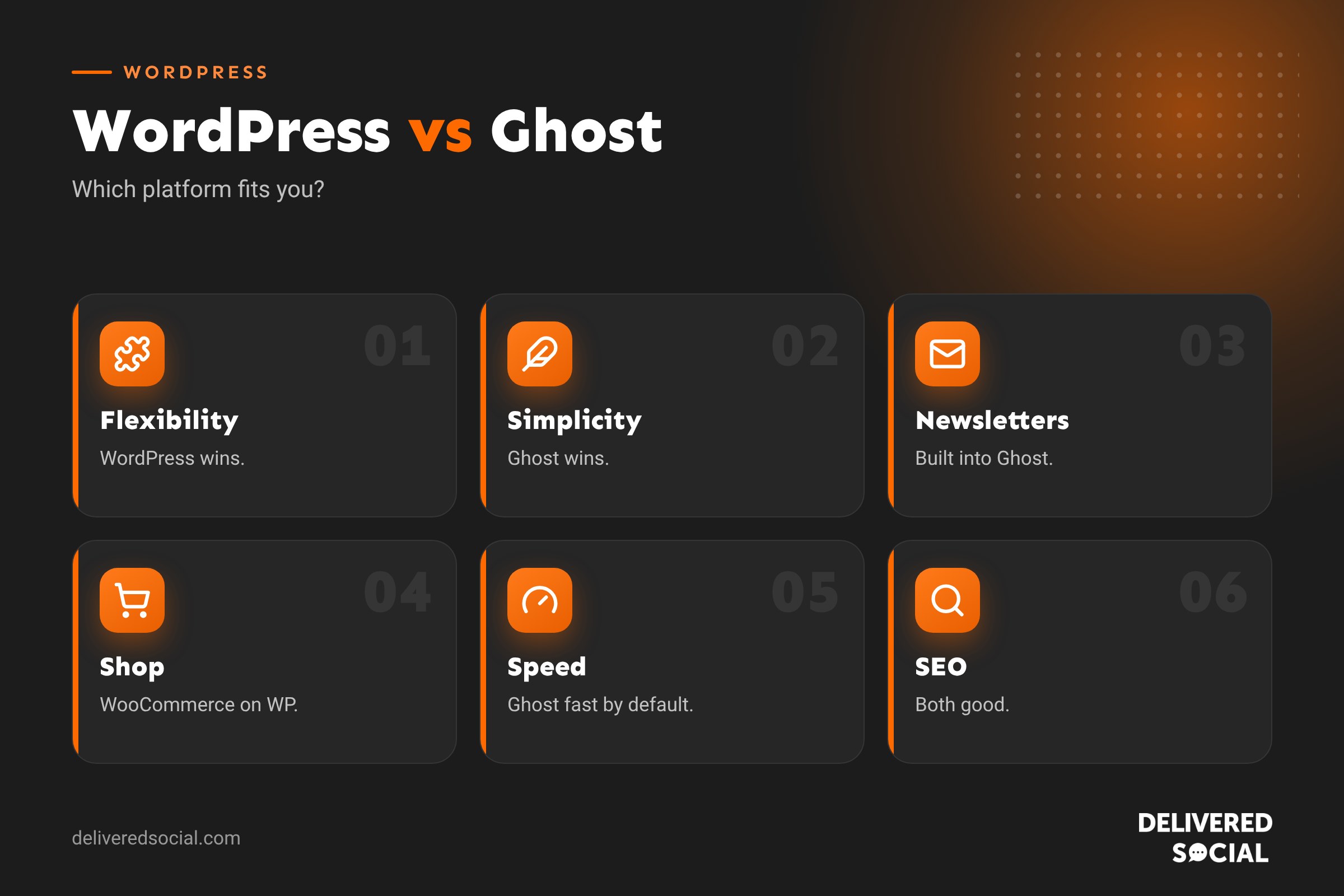
- Best for business websites: WordPress.
- Best for newsletters and paid publications: Ghost.
- Easiest to start with: Ghost, especially on Ghost(Pro).
- Most flexible: WordPress, by a wide margin.
- Fastest out of the box: Ghost, though WordPress can match it with good hosting and setup.
- Easiest to find help: WordPress, thanks to its huge community and number of developers.
- Lowest maintenance: Ghost(Pro), or WordPress with a maintenance plan.
For most of the small businesses we work with, WordPress is the better fit, because their website needs to do more than publish articles: it needs service pages, enquiry forms, galleries, integrations and often a shop. For independent writers, journalists and creators whose business is the newsletter itself, Ghost is often the more focused and pleasant choice.
Key takeaways
- WordPress is a flexible all rounder; Ghost is a focused publishing and newsletter platform.
- Ghost is simpler and faster out of the box, with built in newsletters and paid memberships.
- WordPress offers far more features, themes, plugins and developer support.
- Both are good for SEO, with WordPress offering more control through plugins.
- For most business websites WordPress fits better; for independent publishers Ghost is very appealing.
Frequently asked questions
Is Ghost better than WordPress for blogging?
For pure writing and newsletters, many people prefer Ghost’s simplicity. For blogs that are part of a wider business website, WordPress is usually the better choice.
Is Ghost free?
Ghost is free and open source if you host it yourself. Ghost(Pro) managed hosting is a paid monthly service.
Is Ghost good for SEO?
Yes. It includes sitemaps, structured data, canonical tags and meta fields as standard.
Can Ghost run an online shop?
Not natively for physical products. It handles paid subscriptions well, but for full ecommerce, WordPress with WooCommerce or a dedicated shop platform is better.
Is WordPress harder to maintain than Ghost?
Usually yes, because of themes and plugins that need updating. A maintenance plan removes most of that work.
Can I move from WordPress to Ghost?
Yes. Ghost provides a WordPress migration tool, but plan redirects carefully to protect your rankings.
Need help choosing or building your website?
We design, build and maintain WordPress websites for businesses across Surrey, Hampshire and the UK. Call us on 01483 608 303.
































