



Keep reading
Rather we just did it for you?
Let's get your business seen.
Social media, websites, SEO and ads from a team you can actually meet.
One of the most confusing things about WordPress is that there are two of them: WordPress.com and WordPress.org. They share a name and the same core software, but they’re very different services, with different costs, levels of control and responsibilities. Choosing the wrong one can mean hitting limits later or paying for an expensive move. This guide explains WordPress.com vs WordPress.org in plain English, including which is free, which is better for business and how to move between them.
The short answer
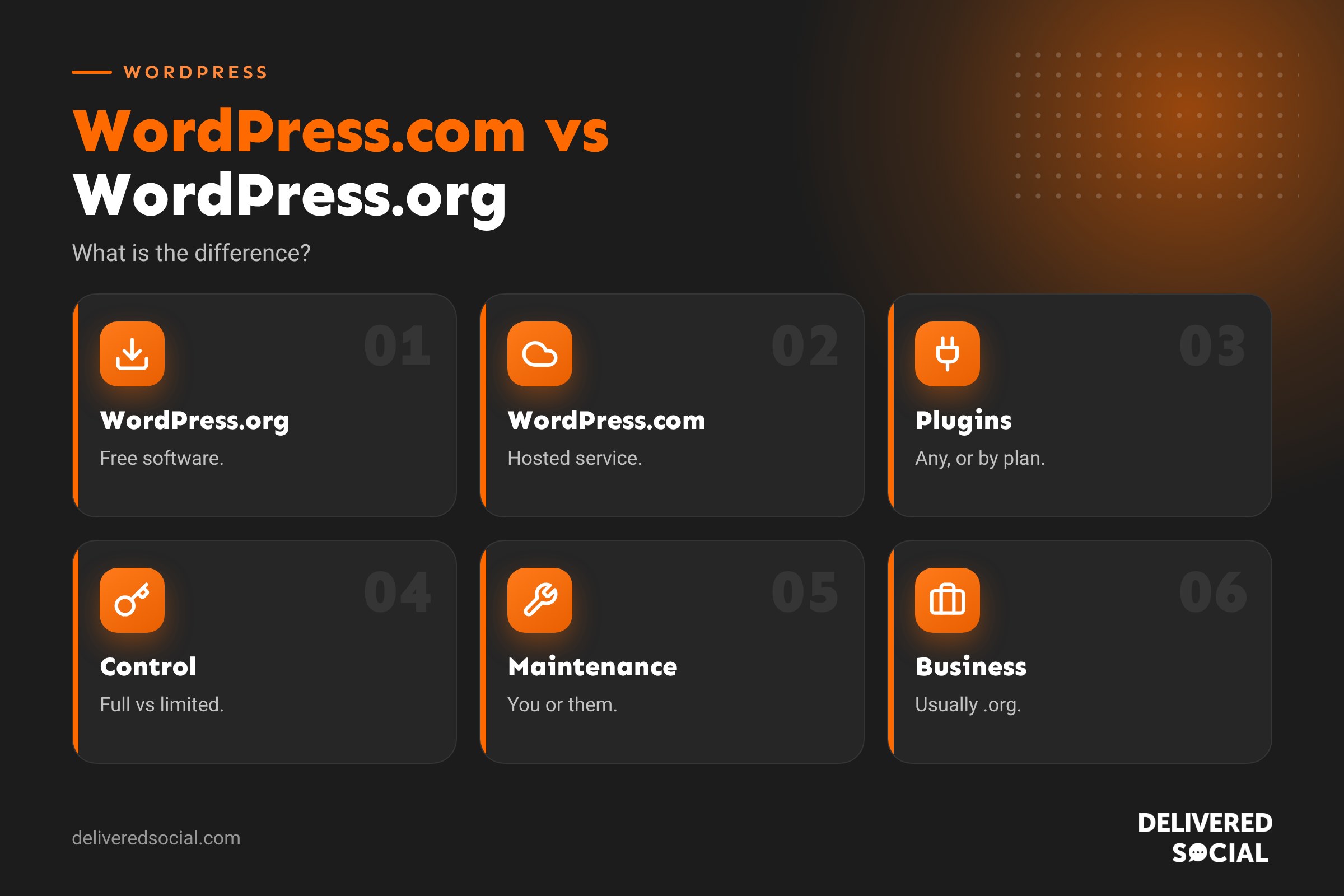
- WordPress.org is where you download the free, open-source WordPress software. You install it on hosting you choose, which is why it’s called “self-hosted WordPress”. You get full control and full responsibility.
- WordPress.com is a commercial hosting service run by Automattic. It runs WordPress for you, with free and paid plans. It’s simpler to start with, but what you can do depends on your plan.
When web agencies talk about building a “WordPress website”, they almost always mean self-hosted WordPress.org. See is WordPress open source? for more on the software itself.
WordPress.com vs WordPress.org at a glance
| WordPress.org (self-hosted) | WordPress.com | |
|---|---|---|
| What it is | Free software you install | Hosted service with plans |
| Hosting | You choose your host | Included |
| Cost | Software free; pay for hosting and domain | Free plan, paid plans for more features |
| Plugins | Any plugin | Higher plans only |
| Themes | Any theme, including custom | Wide choice; custom uploads on higher plans |
| Ads on your site | None unless you add them | Shown on the free plan |
| Maintenance and security | Your responsibility, or your agency’s | Largely handled for you |
| Ownership and control | Full | Subject to the platform’s terms |
Plans and features change, so check current details before you decide.
WordPress.org in detail
Advantages
- Total control over design, code, plugins and data.
- Any plugin or theme, from free directory plugins to premium and bespoke ones.
- Choice of hosting, from budget to fully managed.
- Easy to change suppliers, whether host or agency.
- Ecommerce, memberships and bookings without platform limits.
- Your own branding, with no platform ads.
Disadvantages
- You need hosting and a domain.
- Updates, backups and security are your responsibility.
- More of a learning curve for complete beginners.
Most businesses handle the downsides with managed hosting and a maintenance plan. See WordPress hosting costs.
WordPress.com in detail
Advantages
- Quick to start: sign up and start writing.
- Hosting, security and updates included.
- Free plan for personal use and testing ideas.
- Higher plans unlock plugins, custom themes and ecommerce.
Disadvantages
- The free plan uses a wordpress.com subdomain and shows ads.
- Plugins and custom code need higher-priced plans.
- Less control over the server and some settings.
- You’re on one company’s platform and terms.
Is WordPress free?
The WordPress.org software is completely free. Running a website still costs money for hosting, a domain and any premium themes or plugins. WordPress.com has a free plan, but it’s limited, and most businesses need a paid plan. See is WordPress free? for a full breakdown.
Cost comparison
| Cost | WordPress.org | WordPress.com |
|---|---|---|
| Software | Free | Included in plan |
| Hosting | Pay your chosen host | Included in plan |
| Domain | Yearly fee | Included on many paid plans for the first year |
| Plugins and themes | Free or premium licences | Plugins on higher plans |
| Maintenance | DIY or agency plan | Mostly included |
For a simple personal blog, WordPress.com can be cheaper and easier. For a business site needing specific features, self-hosted WordPress with good hosting often gives better value and flexibility. See how much does a WordPress website cost?
Which is better for SEO?
Both can rank well. Self-hosted WordPress gives full control of SEO plugins, schema, speed optimisation and server settings. WordPress.com includes SEO basics, with more control on higher plans. Using your own domain is important either way; a subdomain on someone else’s platform is weaker for building your brand.
Which is better for business?
For most businesses, charities and online shops, self-hosted WordPress.org is the better choice because of flexibility, ownership and the ability to add any feature. WordPress.com can suit very simple sites, personal blogs and people who want no technical responsibility at all.
| You are… | Best fit |
|---|---|
| A hobby blogger trying things out | WordPress.com free or starter plan |
| A writer wanting zero maintenance | WordPress.com paid plan |
| A small business needing a professional site | WordPress.org with managed hosting |
| An online shop | WordPress.org with WooCommerce |
| A charity or membership organisation | WordPress.org |
| Working with a web agency | WordPress.org |
How to tell which one you’re using
- If you log in at wordpress.com and your dashboard shows WordPress.com plan options, you’re on WordPress.com.
- If you log in at
yourdomain.com/wp-adminand pay a separate host, you’re almost certainly on self-hosted WordPress.org. - If your site address ends in
.wordpress.com, it’s WordPress.com.
Moving from WordPress.com to WordPress.org
- Set up hosting and install WordPress.org.
- Export your content from WordPress.com (Tools > Export).
- Import it into your new site using the WordPress importer.
- Download and upload your media if it doesn’t come across.
- Set up your theme, menus and plugins.
- Point your domain to the new host.
- Set up redirects if your URLs change, to protect search rankings.
It’s very doable, but an agency can make the move seamless and avoid lost content or rankings.
Common misunderstandings
- “WordPress.com is the official WordPress.” Both use the same software; WordPress.com is a commercial service.
- “WordPress.org is a hosting company.” It isn’t; you choose your own host.
- “Free WordPress means a free website.” Hosting and a domain still cost money.
- “WordPress.com can’t run plugins.” It can on higher plans.
Example: choosing for a new business
A new physiotherapy clinic wants a professional site with online booking, a blog, Google reviews and later an online shop for equipment. Self-hosted WordPress with managed hosting lets it add each feature as it grows, choose its own booking system and move agencies if needed. Its owner’s personal travel blog, by contrast, sits happily on a WordPress.com plan with no maintenance to worry about.
Questions to help you decide
- Is this a personal project or a business website?
- Will you need specific plugins, such as bookings, memberships or an online shop?
- Do you want to work with a web agency or developer?
- Who will handle updates, backups and security?
- How important is full control over design, data and hosting?
- What’s your budget over three years, including hosting and maintenance?
If your answers point to a business site with specific features and growth plans, self-hosted WordPress.org is almost always the better long-term choice.
What about other platforms?
If you’re weighing WordPress against all-in-one builders, see Wix vs Squarespace vs WordPress and WordPress pros and cons. For online shops, compare WordPress vs Shopify.
The bottom line
Both options run the same WordPress software. The real choice is between convenience and control. WordPress.com trades some flexibility for simplicity, while self-hosted WordPress.org gives you complete freedom in exchange for looking after hosting, updates and security, or paying someone to do it for you. For a business that expects to grow, freedom usually wins.
Quick glossary
- Self-hosted: WordPress installed on hosting you choose.
- Automattic: the company behind WordPress.com.
- Plugin: an add-on that extends WordPress.
- Subdomain: an address like yourname.wordpress.com.
- Managed hosting: hosting where the provider handles much of the maintenance.
Key takeaways
- WordPress.org is free software you host yourself.
- WordPress.com is a hosted service with free and paid plans.
- Self-hosted WordPress suits most businesses and charities.
- WordPress.com suits simple sites and people wanting no maintenance.
- You can move from WordPress.com to WordPress.org later.
Frequently asked questions
What’s the difference between WordPress.com and WordPress.org?
WordPress.org is free software you host; WordPress.com is a hosting service that runs it for you.
Is WordPress.com free?
There’s a free plan with limits and ads; paid plans add features.
Is WordPress.org better than WordPress.com?
For most businesses, yes, because of flexibility and control.
Can I use plugins on WordPress.com?
Yes, on higher-priced plans.
Which is better for beginners?
WordPress.com is simpler to start; WordPress.org grows with you.
Do I own my WordPress.com site?
You own your content, but the platform sets the rules for hosting.
Is WordPress.com a reliable source?
The platform is reliable; individual blogs hosted there vary in quality.
Can I switch later?
Yes, content can be exported and moved to self-hosted WordPress.
Which is better for an online shop?
Self-hosted WordPress with WooCommerce gives the most control.
Which do agencies use?
Almost always self-hosted WordPress.org.
Can I use my own domain on WordPress.com?
Yes, on paid plans, and many include a domain for the first year.
Is WordPress.org harder to use?
The editor is the same; the extra work is hosting, updates and backups.
Can WordPress.com run an online shop?
Yes, on plans that support ecommerce features.
Does WordPress.org cost money?
The software is free, but hosting and a domain cost money.
Which is more secure?
WordPress.com handles security for you; self-hosted sites rely on good hosting and maintenance.
Can I install Google Analytics on both?
Yes, though the method and plan requirements differ.
Which loads faster?
Both can be fast; self-hosted speed depends on your hosting and set-up.
Want a professional WordPress website?
We build, host and maintain self-hosted WordPress websites for businesses and charities across Surrey, Hampshire and the UK. Call us on 01483 608 303.
































