



Keep reading
Rather we just did it for you?
Let's get your business seen.
Social media, websites, SEO and ads from a team you can actually meet.
WordPress is the most popular way to build a website, but popular doesn’t automatically mean right for everyone. It’s hugely flexible and cost-effective, yet it also needs looking after, and some businesses would be better served by a simpler platform. This guide sets out the pros and cons of WordPress honestly, for small businesses, charities, online shops and bloggers, so you can decide whether it’s the right choice for your next website.
WordPress at a glance
WordPress is free, open-source content management software. You install it on your own hosting (or use the WordPress.com service), choose a theme for design, and add plugins for extra features. See is WordPress open source? for more on what it is.
The pros of WordPress
1. Free software and flexible budgets
The core software costs nothing. You pay for hosting, a domain and any premium themes or plugins, which means you can start small and invest as you grow. See is WordPress free?
2. You own your website
With self-hosted WordPress, your site, content and data are yours. You can change host, developer or agency whenever you like, without starting again. That’s a big difference from closed platforms where you rent space on someone else’s system.
3. Almost unlimited flexibility
Brochure sites, blogs, online shops, booking systems, memberships, directories, learning platforms, multilingual sites: WordPress can handle them all with the right themes and plugins, or custom development.
4. Excellent for SEO
WordPress gives you control of page titles, meta descriptions, URLs, headings, internal links, schema and site speed. Combined with a good theme and SEO plugin, it’s one of the strongest platforms for search visibility. See does WordPress help SEO?
5. Easy content editing
Once set up, updating text, adding blog posts and changing images is straightforward in the block editor or a page builder. See how to edit a WordPress site.
6. Huge ecosystem and community
Thousands of themes and plugins, endless tutorials, and a large pool of developers and agencies mean help is easy to find and you’re never dependent on one supplier.
7. Scales with your business
WordPress can grow from a five-page site to a large content or ecommerce site, with better hosting and development as needed.
8. Integrations
It connects with email marketing platforms, CRMs, payment providers, booking tools, analytics and social media.
The cons of WordPress
1. It needs maintenance
WordPress, themes and plugins need regular updates, plus backups and monitoring. Ignore them and your site can become slow, broken or hacked. Many businesses solve this with a maintenance plan.
2. Security depends on you
Because WordPress is so popular, it’s a common target. Most hacks come from outdated plugins, weak passwords or cheap hosting rather than WordPress itself. Good practice keeps it secure. See is WordPress safe?
3. Plugin quality varies
Some plugins are excellent; others are poorly coded, abandoned or bloated. Too many plugins can slow your site and cause conflicts. Choose carefully and keep the list lean.
4. Performance isn’t automatic
A WordPress site’s speed depends on hosting, theme, images and plugins. Heavy themes and page builders can be slow. See why is my WordPress site slow?
5. Learning curve
The dashboard, themes, plugins and settings can feel overwhelming at first, especially compared with simple drag-and-drop builders. Our guide on how to learn WordPress helps.
6. Costs can creep
Premium plugins, themes and add-ons often have yearly licences. Without planning, small costs add up.
7. Design consistency takes discipline
Because it’s so flexible, sites can become inconsistent as different people add pages and plugins over time.
Pros and cons summary
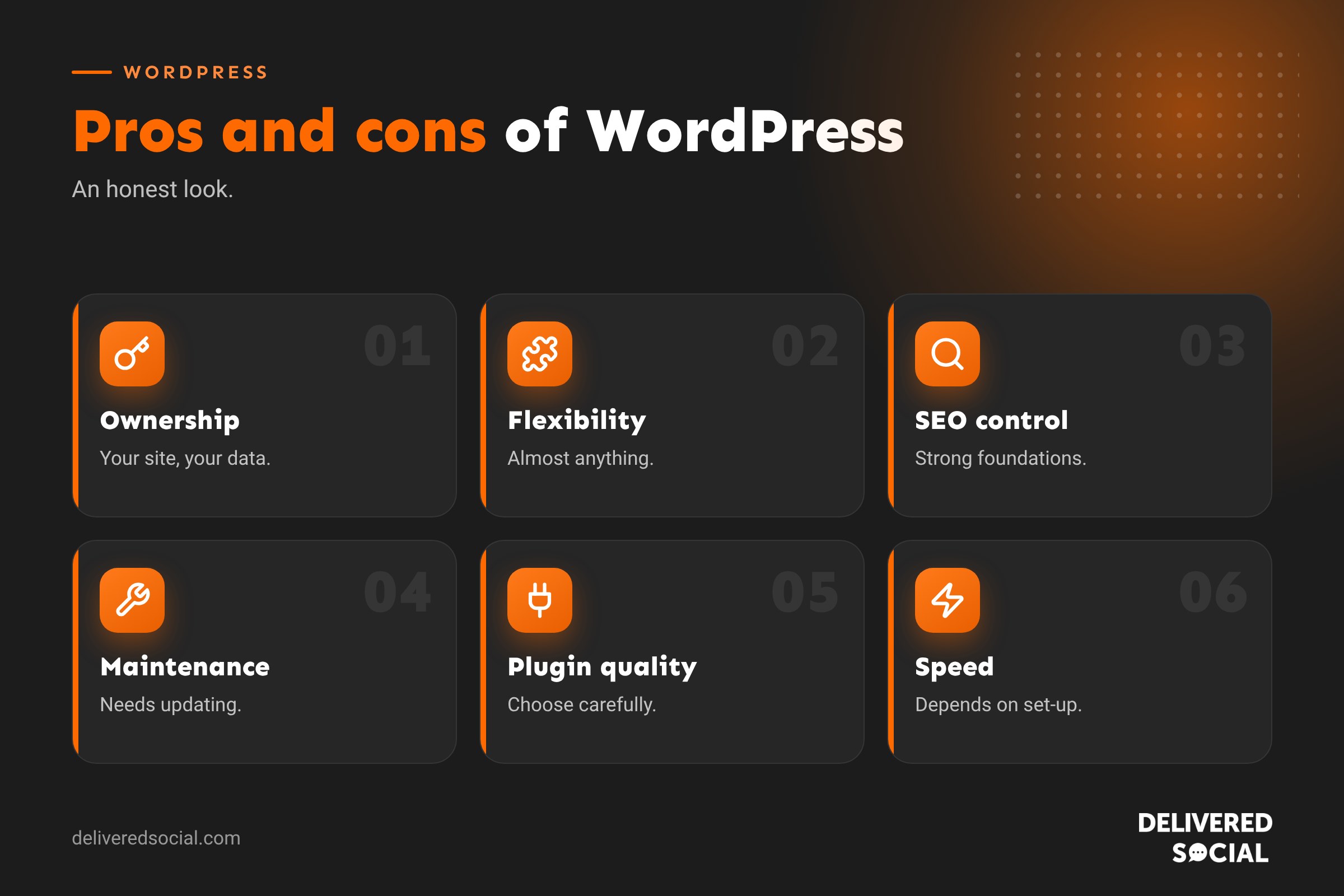
| Pros | Cons |
|---|---|
| Free, open-source software | Needs regular updates and backups |
| Full ownership and portability | Security depends on good practice |
| Extremely flexible | Plugin quality varies |
| Strong SEO control | Speed depends on set-up |
| Easy content editing once set up | Learning curve for beginners |
| Huge ecosystem and support | Licence costs can add up |
| Scales well | Needs discipline to stay tidy |
Who WordPress suits best
- Businesses that want to own their website and grow it over time.
- Organisations that rely on search traffic and regular content.
- Charities and membership organisations needing flexible features.
- Online shops wanting control and integrations (with WooCommerce).
- Anyone working with a web agency or developer.
Who might prefer something else
- A sole trader wanting a very simple site with zero maintenance may prefer an all-in-one builder.
- Shops focused purely on selling with minimal content might prefer a hosted ecommerce platform. See WordPress vs Shopify.
- Writers focused only on paid newsletters might prefer a newsletter platform. See WordPress vs Substack.
- Complex software products may need a custom web application.
How to get the pros without the cons
- Use quality, WordPress-specialist hosting.
- Choose a lightweight, well-supported theme.
- Keep plugins to the essentials and pick well-maintained ones.
- Run daily off-site backups.
- Update regularly, ideally testing on staging first.
- Use strong passwords and two-factor authentication.
- Monitor uptime and speed.
- Or let an agency handle all of the above for a monthly fee.
WordPress vs other popular platforms
| Platform | Best for | Main trade-off |
|---|---|---|
| WordPress | Flexible business sites, content, SEO | Needs maintenance |
| Wix | Very simple DIY sites | Less flexibility and portability |
| Squarespace | Design-led small sites | Limited features and plugins |
| Shopify | Dedicated online shops | Monthly fees and app costs |
| Custom build | Unique applications | Higher cost and dependency on developers |
Example: two businesses, two choices
A local accountancy firm wants a professional site with service pages, a blog, a team section and enquiry forms, and plans to grow its search traffic with regular articles. WordPress is a strong fit, with an agency handling maintenance. A craft maker selling a handful of products at markets wants a simple shop she can set up herself in an evening, with no updates to worry about. A hosted ecommerce platform may suit her better for now, with the option to move to WordPress and WooCommerce as she grows.
Real costs over three years
When comparing WordPress with other platforms, look at the total cost over a few years, not just the first month. A typical small business WordPress site might involve a one-off design and build cost, then hosting, domain, maintenance and occasional premium plugin licences each year. All-in-one builders have lower set-up costs but monthly subscriptions that continue indefinitely and add-ons that add up. Shopify-style platforms add app fees and transaction fees. Laying these side by side often shows WordPress is competitive, especially as your site grows.
Questions to ask before choosing WordPress
- Who will keep the site updated and secure?
- How important is search traffic to the business?
- Will the site need features beyond simple pages?
- Do you want to be able to change suppliers easily?
- How much will you invest in content over time?
If the answers point to growth, content and flexibility, WordPress is usually the right call.
The verdict
For most small and medium-sized businesses that want a professional, flexible website they own, WordPress offers the best balance of cost, control and capability. Its downsides are real but manageable, particularly with good hosting and a maintenance plan. If you want zero responsibility and a very simple site, an all-in-one builder may suit you better for now.
Quick glossary
- Theme: controls your site’s design.
- Plugin: adds features to WordPress.
- Self-hosted: WordPress installed on hosting you choose.
- WooCommerce: the main ecommerce plugin for WordPress.
- Staging site: a private copy for testing changes.
Key takeaways
- WordPress offers ownership, flexibility, SEO strength and a huge ecosystem.
- The trade-off is maintenance, security and careful plugin choice.
- Good hosting and a maintenance plan remove most of the downsides.
- It suits businesses that want to grow and own their website.
- Very simple or very specialised needs may suit other platforms.
Frequently asked questions
What are the main advantages of WordPress?
Ownership, flexibility, strong SEO, easy editing and a huge ecosystem.
What are the disadvantages of WordPress?
It needs maintenance, careful plugin choice and good security practice.
Is WordPress good for small businesses?
Yes, especially with good hosting and support.
Is WordPress hard to use?
Everyday editing is easy once set up; technical tasks take more learning.
Is WordPress secure?
Yes, when kept updated with good hosting, passwords and backups.
Is WordPress better than Wix?
For flexibility, SEO and ownership, usually yes; Wix is simpler for very basic sites.
Does WordPress cost money?
The software is free, but hosting, a domain and some extras cost money.
Can WordPress handle an online shop?
Yes, with WooCommerce.
Do big brands use WordPress?
Yes, many well-known organisations use WordPress for websites, news and blogs.
Is WordPress good for SEO?
Yes, it offers excellent control over the factors that affect rankings.
How often does WordPress need updating?
Plugins and core receive updates regularly; checking weekly or monthly is sensible.
Can I switch from WordPress later?
Yes, your content can be exported, though a new platform means rebuilding the design.
Is WordPress free for businesses?
Yes, the software is free for any use, including commercial.
Want WordPress without the hassle?
We build, host and maintain WordPress websites for businesses across Surrey, Hampshire and the UK. Call us on 01483 608 303.































