



Keep reading
Rather we just did it for you?
Let's get your business seen.
Social media, websites, SEO and ads from a team you can actually meet.
YouTube Premium Lite is the cheaper way to cut down the adverts on YouTube. It costs less than full YouTube Premium, but it leaves out some features, and it isn’t completely ad-free. This guide explains what YouTube Premium Lite is, what you get, what you don’t, how it compares with full Premium, and who it’s best for.
What is YouTube Premium Lite?
YouTube Premium Lite is a lower-priced YouTube subscription. Its main job is to remove adverts from most videos. It was first tested in a handful of European countries, relaunched in Thailand, Germany and Australia, then rolled out in the US in 2025. It’s now available in many countries, including the UK.
When it relaunched, Lite was a simple “fewer adverts” plan. In early 2026 YouTube added two of the most popular Premium features to it: offline downloads and background play. That made Lite a much better deal for people who mostly watch videos rather than listen to music.
What do you get with YouTube Premium Lite?
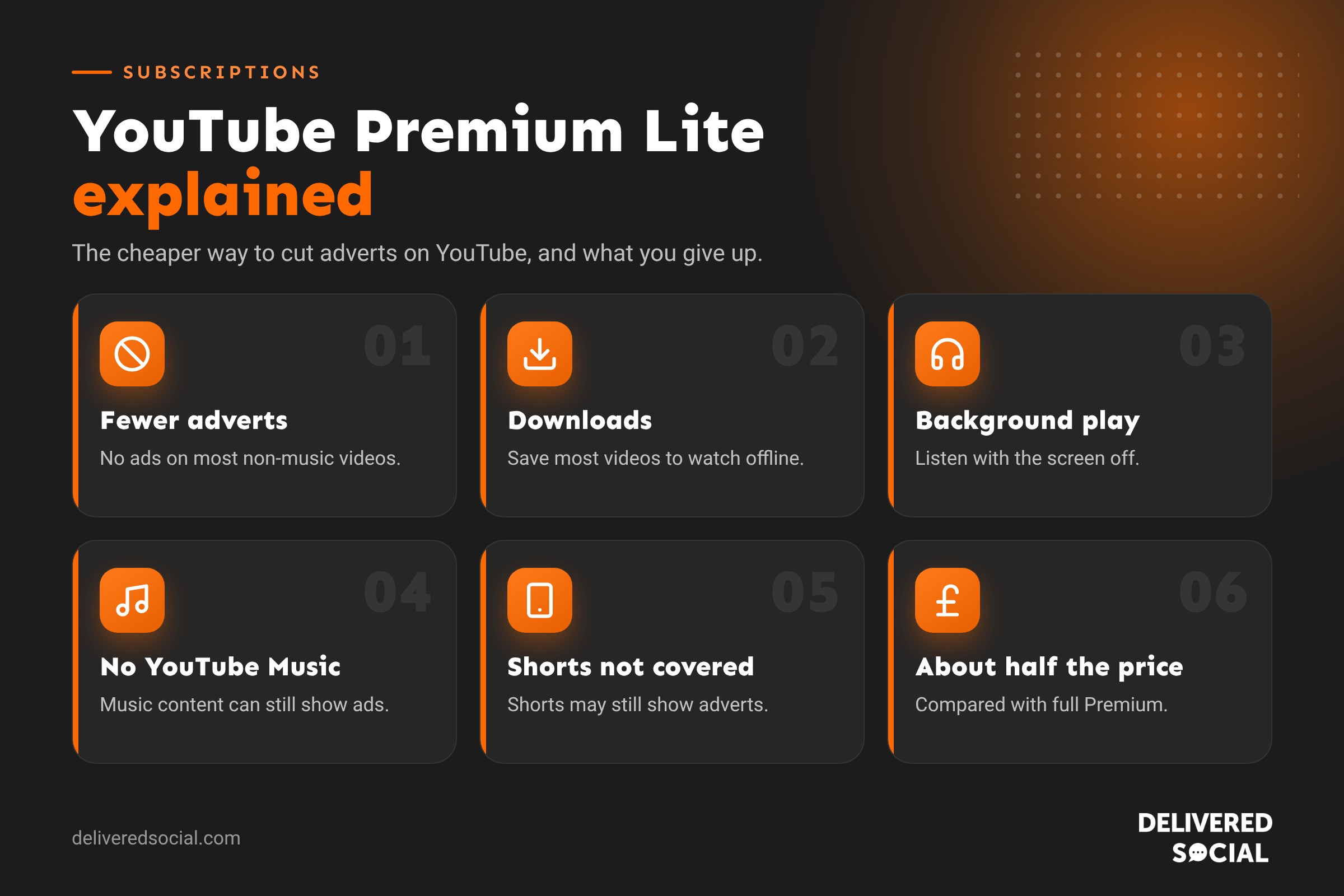
- No adverts on most videos. Most non-music videos, such as tutorials, vlogs, gaming, news, comedy and documentaries, play without ad breaks.
- Background play on most non-music videos, so you can keep listening to a podcast or explainer with your screen off or while using another app.
- Offline downloads of most non-music videos, handy for flights, trains and places with poor signal.
- Works across devices when you’re signed in with the same Google account: phones, tablets, computers and smart TVs.
What isn’t included in Premium Lite?
- Music content still has adverts. Music videos and other music-heavy videos may still show ads.
- Shorts may show adverts.
- Ads can still appear while browsing or searching, for example in the home feed or search results.
- No YouTube Music Premium. You don’t get ad-free music streaming in the YouTube Music app, or music downloads.
- Creator sponsorships still play. Like full Premium, Lite only removes YouTube’s adverts, not the sponsored segments creators record themselves.
YouTube describes the coverage as “most” videos, so expect the occasional advert even on non-music content.
How much does YouTube Premium Lite cost?
Premium Lite costs roughly half the price of an Individual Premium plan. In the UK it has been around £7.99 a month, while in the US it started at $7.99 and later rose to $8.99. Prices change from time to time and can differ depending on where and how you subscribe, so always check the current price on the YouTube Premium page before you sign up.
Google has also bundled Premium Lite with some Google One plans in the UK, so if you already pay for extra Google storage or AI features, check whether Lite is included before buying it separately.
Tip: subscribe through a web browser at youtube.com/premium rather than inside the iPhone app. Subscriptions bought through Apple’s App Store have often cost more because of Apple’s fees.
YouTube Premium Lite vs YouTube Premium
| Feature | Premium Lite | YouTube Premium |
|---|---|---|
| Ad-free non-music videos | Most videos | Yes |
| Ad-free music videos | No | Yes |
| Ad-free Shorts | No | Yes |
| Background play | Most non-music videos | Yes, including music |
| Offline downloads | Most non-music videos | Yes, including music |
| YouTube Music Premium | No | Yes |
| Family and Student plans | No (single plan) | Yes |
| Typical UK price | Around £7.99 a month | Around £12.99 a month for Individual |
Our full guide to YouTube Premium covers the Individual, Family and Student plans in more detail.
Who is YouTube Premium Lite best for?
- People who already pay for Spotify, Apple Music or another music service and don’t need YouTube Music.
- Learners and hobbyists who watch lots of tutorials, how-to videos and explainers.
- Podcast and long-form listeners who now get background play on most non-music videos.
- Commuters and travellers who want to download videos to watch offline.
- Anyone on a budget who finds adverts annoying but doesn’t want to pay for full Premium.
It’s less suited to people who mainly use YouTube for music, watch lots of Shorts, or want to share a subscription with their household. For them, full Premium or a Family plan is usually better value.
How to subscribe to YouTube Premium Lite
- Go to youtube.com/premium in a web browser and sign in with your Google account.
- Look for the Lite option among the plans. If you don’t see it, it may not be offered on your account or in your country yet.
- Choose Lite, check the price and any free trial, and add a payment method.
- Sign in with the same Google account on your phone, tablet and TV to use it everywhere.
How to switch between Lite and Premium
You can change plans at any time. Go to Your Premium membership in your YouTube settings (or youtube.com/paid_memberships in a browser), choose to change your membership and pick the new plan. Upgrades usually take effect straight away, while downgrades normally apply at the end of your current billing period. If you subscribed through the App Store or Google Play, manage it there.
How to cancel YouTube Premium Lite
- Open YouTube and tap your profile picture.
- Go to Purchases and memberships.
- Choose your Premium Lite membership and tap Deactivate or Cancel.
- Follow the steps to confirm. You’ll keep the benefits until the end of the period you’ve paid for.
Is YouTube Premium Lite worth it?
If you watch YouTube most days and mainly watch non-music videos, Lite is good value, especially now that it includes downloads and background play. The time you save not sitting through adverts adds up quickly. If you also want ad-free music, it’s usually cheaper to pay for full Premium than to combine Lite with a separate music subscription. And if you only watch the odd video each week, the free version with adverts may be all you need.
A simple test: count how many adverts you sit through in a typical week. If it’s dozens, Lite will probably feel worth every penny.
What Premium Lite means for businesses that advertise on YouTube
Every paid YouTube plan means some viewers won’t see your video adverts on most content. That doesn’t make YouTube advertising pointless: most viewers still use the free version, and Lite members still see adverts on music content, Shorts and in parts of the app. But it’s another reason not to rely on adverts alone. A balanced YouTube approach works best:
- Organic videos on your own channel, answering the questions your customers search for.
- Shorts to reach new people quickly.
- Collaborations with local creators, whose sponsored segments play for Premium and Lite members too.
- Adverts for reach and remarketing, measured on enquiries and sales.
Our guide to what YouTube is and how businesses use it explains where to start.
Premium Lite vs free YouTube
If you’re deciding whether to pay at all, here’s what changes when you move from free YouTube to Lite. On the free version, most videos show adverts before, during and sometimes after, and longer videos can have several ad breaks. Background play and downloads aren’t available on the free version in most cases. With Lite, most non-music videos play without those breaks, and you can listen with the screen off and save videos offline. You’ll still see adverts on music and Shorts, so if those are most of what you watch, the free version and Lite will feel quite similar.
Premium Lite and kids
Lite is a single-person plan tied to one Google account. If children in your house watch on their own accounts or on YouTube Kids, they won’t get the benefits of your Lite membership. For families, the Premium Family plan, which covers up to six people at the same address, is usually better value than several individual subscriptions.
Is it worth switching from Premium to Lite?
If you pay for full Premium but rarely use YouTube Music, switching to Lite could save you around £60 a year, based on typical UK prices. Before you switch, think about how often you listen to music on YouTube, watch Shorts, or share your plan with others. If any of those are important, stay on full Premium. If not, Lite now covers what most people use Premium for: fewer adverts, downloads and background play.
How YouTube decides what counts as music
YouTube doesn’t publish a full list, but in practice music videos, songs uploaded by artists and labels, lyric videos and content in the YouTube Music catalogue are treated as music. Podcasts, interviews, talk shows and most tutorials are not. Some videos with lots of background music may also be treated as music content. If you notice adverts on a video you didn’t expect, that’s probably why.
Frequently asked questions
Is YouTube Premium Lite completely ad-free?
No. It removes adverts from most non-music videos, but you may still see ads on music content, Shorts and while browsing or searching.
Does Premium Lite include YouTube Music?
No. If you want ad-free music in the YouTube Music app, you’ll need full YouTube Premium or YouTube Music Premium.
Can I download videos with Premium Lite?
Yes. Since early 2026, Lite includes offline downloads and background play for most non-music videos.
Is there a Family version of Premium Lite?
No. Lite is a single-person plan. To share with your household, you’d need the Premium Family plan.
Can I use Premium Lite on my TV?
Yes. Sign in to the YouTube app on your smart TV, games console or streaming stick with the same Google account.
Want your business seen on YouTube?
We help small businesses across Surrey, Hampshire and the UK plan video content, Shorts and YouTube advertising that reaches the right people. See our social media services or call us on 01483 608 303 for a friendly chat.































