



Keep reading
Rather we just did it for you?
Let's get your business seen.
Social media, websites, SEO and ads from a team you can actually meet.
Instagram changes almost every week. Some updates are small tweaks to a menu, others change how your posts reach people. Keeping up is hard when you’re running a business, so we’ve rounded up the Instagram updates that matter in 2026, what each one means in practice, and what small businesses should do about them. We’ll keep this guide updated as new features roll out.
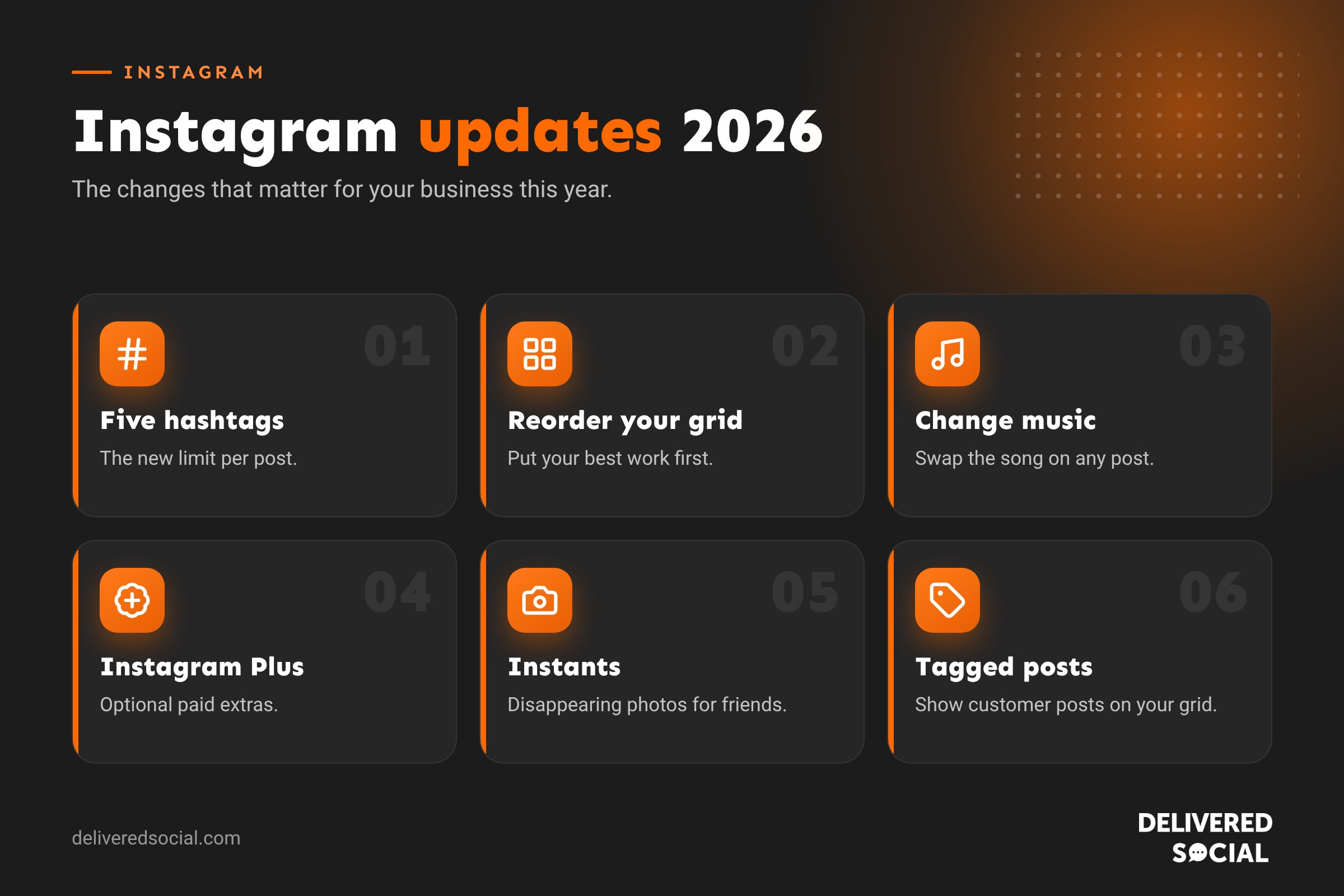
The biggest Instagram updates of 2026 at a glance
| Update | When | Why it matters |
|---|---|---|
| Five-hashtag limit per post | January | Hashtags now need to be chosen carefully |
| Instants (disappearing photos) | February to May | A new, casual way to share with close followers |
| Edit comments and post thumbnails | March | Fix mistakes without deleting |
| Trial Reels limited to 30 days | April | Test results arrive on a fixed timescale |
| Instagram Plus subscription | June | Paid extras for Stories and profiles |
| Reorder your profile grid | June | Control what new visitors see first |
| “Your Algorithm” controls | June and July | Users can shape what they’re shown |
| Change music on any post | July | Refresh older content |
| Bonuses for photo and carousel posts | August | Payouts aren’t only for Reels |
| Add tagged posts to your grid | October | Show customer content on your profile |
| Long-form “Features” test | November | Longer videos up to 90 minutes, for selected creators |
January: hashtags, carousels and a new look
The year began with one of the most talked-about changes: Instagram now allows a maximum of five hashtags per post. For years, businesses stuffed captions with 30 hashtags. That no longer works, and frankly it hadn’t worked well for some time. Instagram now relies much more on what your caption, audio and image say than on a long list of tags.
What to do: pick three to five specific hashtags that describe the post, such as your town, your service and one community tag. Our guide to Instagram hashtags explains how to choose them.
January also brought looping carousels, so the last slide leads back to the first, and Instagram started testing “Friends” as a label for the Following count.
February: Instants and support from Meta AI
Instagram renamed its “Shots” test to Instants: quick, disappearing photos shared only with mutual followers or Close Friends. Instants have no filters, text or stickers, they can be seen once, and they disappear after 24 hours. A standalone Instants app followed in May. We cover it fully in our guide to Instagram Instants.
February also saw a Meta AI support assistant appear in the app, a test that lets you reorder carousel slides after posting, and Stories insights gaining a Reshares figure. Sponsored posts started to carry a simpler “Ad” label.
March: editing comments and thumbnails
Two small but welcome changes arrived. You can now edit comments after posting them, and you can change a post’s thumbnail after it’s live. For businesses this means a typo in a reply to a customer, or a Reel cover that looks odd on your grid, no longer has to stay there forever.
Instagram also merged its Effects and Restyle tools, added GIFs to Notes, and introduced a one-tap pause for Reels.
April: Trial Reels, Insights and Explore controls
Trial Reels, which let you show a Reel to non-followers first, now run for 30 days before you decide whether to share them with followers. Our guide to Instagram trial Reels explains how to use them to test ideas safely.
Instagram also refreshed the look of Insights, added a teleprompter to Reels on iPhone, launched a native Android tablet app, and expanded “Your Algorithm” so people can adjust the topics they see in Explore.
May: Instants app, AI labels and DM changes
The standalone Instants app arrived, and Instagram added an “AI Creator” label for accounts that use AI-generated people. Meta AI started offering summaries of long message threads, and you could now add events in DMs. Meanwhile, Instagram ended its end-to-end encrypted DM option on 8 May.
June: Instagram Plus and a reorderable grid
June brought two of the year’s biggest updates.
Instagram Plus launched globally on 4 June. It’s an optional subscription, priced at $3.99 a month in the US, that adds extras such as Stories that stay up for 48 hours, extra audience lists beyond Close Friends, the ability to view a Story without being counted as a viewer, custom app icons and up to six pinned posts. The free app is unchanged. Read our full guide to Instagram Plus for every feature.
You can also now reorder your profile grid, so your best work, offers or reviews sit at the top without you having to repost. For businesses, this is one of the most useful updates of the year. Your grid is often the first impression a potential customer gets, and you can now curate it like a shop window.
Other June changes included removing reposts of your content and a Story screenshot-prevention option.
July: change the music on any post
You can now change the music on any post after it’s published, including photos and carousels. Instagram also added an “AI Info” label to posts, expanded AI translations to Japanese, Korean, French, German and Italian, and started testing a business hours and contact banner on profiles. “Your Algorithm” controls reached the main feed, giving people more say over the topics they see.
What to do: if an older Reel used a sound that’s no longer popular, try swapping it for a current trending track and resharing it to your Story.
August to October: Bonuses, tagged posts and WhatsApp
- Bonuses were extended to photo and carousel posts for some creators, so payouts aren’t only for Reels.
- Instagram began testing sharing Stories as WhatsApp statuses, and later added WhatsApp calls inside Instagram.
- In October you could add tagged posts to your own grid. If a customer tags you in a lovely photo of your work, you can now show it on your profile.
- A “Managed by another business” label started appearing on some accounts run by agencies or partners.
- Linked Reels were removed on 28 October.
- Instagram launched a free app for Apple TV on 23 October.
November: long-form video and Edits on Mac
Instagram is testing Features, long-form videos of up to 90 minutes, with selected US creators. It’s also working on “Series” for episodic content. Its video editing app, Edits, launched on Mac, with paid storage plans for heavy users and an AI effect builder for Stories.
For most small businesses, short Reels and carousels remain the priority, but it’s worth watching. If long-form video rolls out widely, recorded workshops, demonstrations and Q&As could find a new home on Instagram.
Other useful updates you may have missed
- You can edit a Story’s text, music, stickers and drawings for up to 15 minutes after posting.
- Content Protection alerts warn creators when their videos are copied.
- Apple Music now works with Instagram.
- Teen Accounts settings have rolled out worldwide, with AI age checks moving suspected teens into them.
- Instagram has a redesigned wordmark.
What these updates mean for small businesses
Looking across the year, a few clear themes stand out.
1. Quality beats tricks
The hashtag limit and “Your Algorithm” controls both point the same way. Instagram wants to show people content they genuinely want, and users now have more ways to say what that is. Clever hacks matter less than clear, useful posts.
2. Your profile is a shop window
Grid reordering, extra pinned posts with Plus, tagged posts on your grid and the business hours banner all make your profile more important. Treat it like a landing page: pin your best work, a review and your main offer.
3. Fixing mistakes is easier
Editing comments, thumbnails, Story stickers and music means you don’t need to delete and repost. That protects the engagement a post has already earned.
4. AI labels are here to stay
If you use AI-generated images or people in your content, expect Instagram to label it. Be open about it and use AI to support your content rather than replace real photos of your work.
5. Close-friends content is growing
Instants, extra audience lists and Close Friends show people want more private, casual sharing. Businesses with loyal customers can use Close Friends lists for VIP offers and behind-the-scenes content.
How to keep up with Instagram updates
- Follow @creators and @instagram on Instagram, and Adam Mosseri, the head of Instagram, who often explains changes in short videos.
- Check the Instagram Help Centre for official how-to guides.
- Keep the app updated. New features usually reach the latest version first.
- Look out for in-app prompts. Instagram often explains new tools with a pop-up the first time you see them.
- Bookmark this page. We update it as the changes that matter to businesses roll out.
Why you might not have the latest update yet
Instagram rarely gives a new feature to everyone at once. It often tests changes with a small group, in a few countries or on one type of phone first. If a friend has a feature and you don’t:
- Update the Instagram app from the App Store or Google Play.
- Restart your phone.
- Check whether you’re using a professional account. Some features only appear for business or creator accounts, and some only for personal accounts.
- Be patient. Most features reach the UK within a few weeks or months of launching in the US.
A quick Instagram update checklist for businesses
- Cut hashtags down to five or fewer per post.
- Reorder your grid so your best posts show first.
- Pin a review, your main service and a current offer.
- Turn on the option to add tagged customer posts to your grid where it’s available.
- Use trial Reels to test new ideas with non-followers.
- Refresh older posts with new music.
- Label AI-generated content honestly.
- Check your Insights monthly in the new layout.
Frequently asked questions
Has Instagram changed today?
Instagram rolls out small changes most weeks, often to a limited group first. If something looks different, update the app and check the Instagram Help Centre or the @creators account for an explanation.
What is the latest Instagram update?
At the time of writing, the newest changes are the long-form “Features” video test, Edits for Mac and the ability to add tagged posts to your grid. We update this guide as new features launch.
Is Instagram going to charge users?
The main app is still free. Instagram Plus is an optional subscription for extra features, and Meta Verified is a separate paid service for verification and support.
How many hashtags can you use on Instagram now?
Up to five per post.
Why don’t I have the new Instagram features?
Features are often tested with selected users or countries first. Update the app and give it a few weeks.
Want help keeping your Instagram up to date?
Keeping on top of Instagram updates is part of what we do every day for businesses across Surrey, Hampshire and the UK. We plan, create and post content that works with the latest features, so you don’t have to. See our social media management services or call us on 01483 608 303.































