



Keep reading
Rather we just did it for you?
Let's get your business seen.
Social media, websites, SEO and ads from a team you can actually meet.
“Feed” is one of the most used words on Instagram, and one of the most confusing. People use it to mean the posts they scroll through, the grid on their profile and even the way their account looks overall. This guide explains what the feed on Instagram means, how the Instagram feed decides what you see, the difference between your home feed and your profile grid, and how businesses can create a feed that attracts customers.
What is a feed on Instagram?
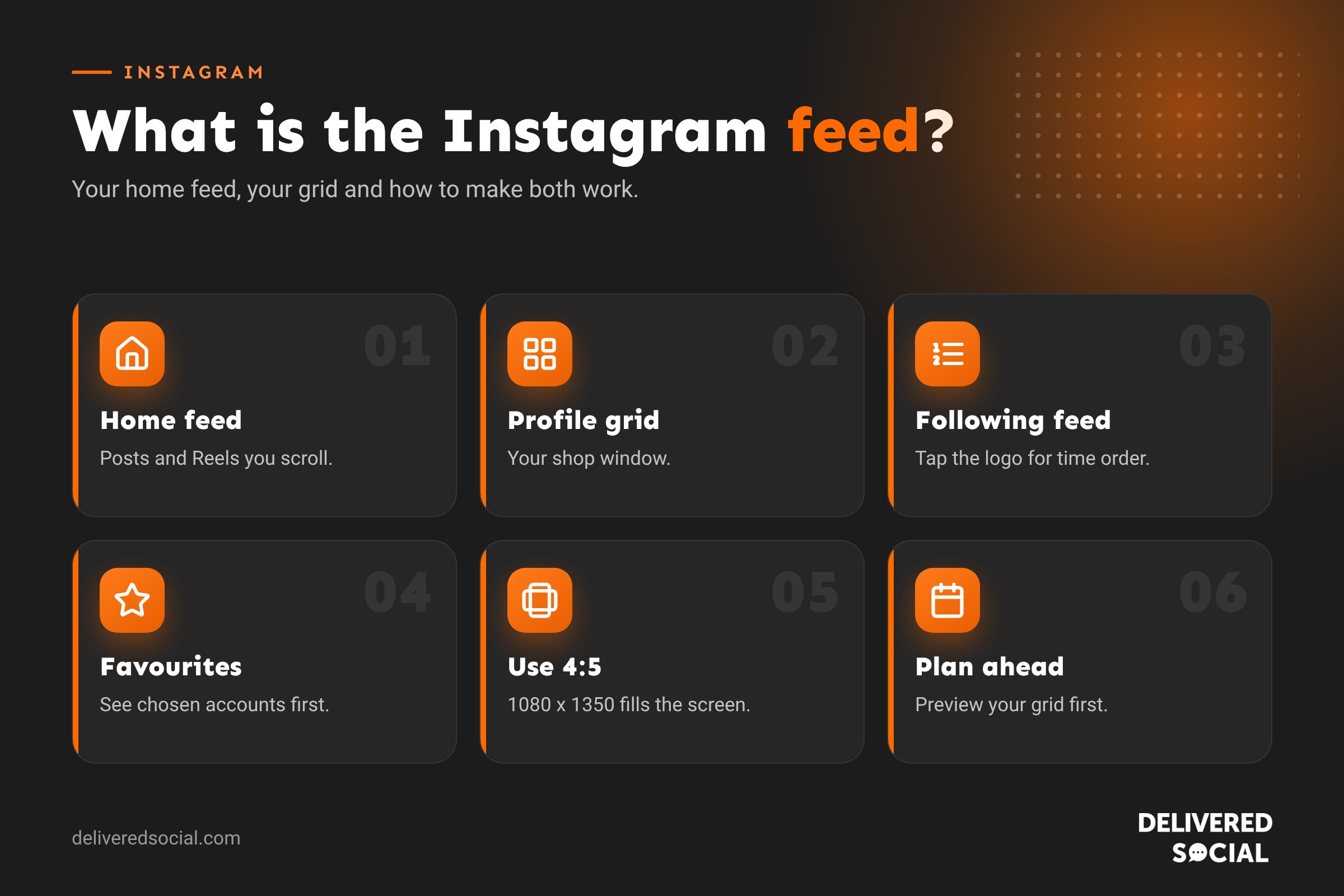
Your Instagram feed is the stream of content you see when you open the app and tap the home icon. It shows photos, carousels, videos and Reels from the accounts you follow, along with suggested posts from accounts you don’t follow and adverts.
When people talk about “posting to the feed”, they mean a normal post, rather than a Story or a Reel only shared to Reels. Feed posts stay on your profile permanently, unlike Stories, which disappear after 24 hours.
People also use “feed” to describe the grid of posts on a profile. When someone says “your feed looks great”, they usually mean your profile grid has a consistent, attractive look.
The different meanings of “feed” on Instagram
| Term | What it means | Where you find it |
|---|---|---|
| Home feed | Posts and Reels from accounts you follow, plus suggestions | Home icon |
| Following feed | Only posts from accounts you follow, newest first | Tap the Instagram logo on the home screen |
| Favourites feed | Only posts from accounts you’ve added to Favourites | Tap the Instagram logo on the home screen |
| Profile grid | All the posts on an account’s profile | Any profile page |
| Feed post | A post shared to followers’ home feeds and your grid | Created with the + button |
Home feed vs profile grid
The home feed is what you see; it’s personal to you and changes every time you open the app. Your profile grid is what other people see when they visit your account; it’s the same for everyone and acts like a portfolio.
For businesses, both matter. The home feed is how your existing followers see your new posts. Your grid is how potential customers decide whether to follow you, book you or buy from you. Since 2026, you can reorder your grid, so your best work can sit at the top.
How the Instagram feed decides what you see
Instagram doesn’t show posts in the order they were published. It ranks them based on what it thinks you’re most likely to enjoy. The main signals include:
- Your activity: the posts you like, comment on, save and share.
- Your relationship with the poster: whether you message them, comment on their posts or visit their profile.
- The post itself: how quickly people are engaging with it, how recent it is and what type of content it is.
- Information about the poster: how often people interact with their content in general.
Instagram has also added more controls for users. “Your Algorithm” lets people see and adjust the topics Instagram thinks they’re interested in, and you can mark posts as “Not interested” to see fewer like them. If your feed feels stale, our guide to resetting your Instagram algorithm explains how to refresh it.
How to see your Instagram feed in time order
- Open Instagram and go to the home feed.
- Tap the Instagram logo at the top of the screen.
- Choose Following to see posts from accounts you follow in time order, or Favourites to see posts from your chosen accounts only.
This is useful if you want to make sure you don’t miss posts from customers, suppliers or local businesses you care about.
How to add accounts to your Favourites
- Go to the profile of the account.
- Tap Following.
- Choose Add to Favourites.
Posts from Favourites appear higher in your home feed. You can have up to 50 Favourites, and they aren’t told that you’ve added them.
What kind of content appears in the feed?
- Single photo posts.
- Carousels: up to 20 photos or videos that people swipe through.
- Reels: short videos, which can appear in the feed as well as the Reels tab.
- Suggested posts from accounts you don’t follow.
- Adverts, labelled “Ad” or “Sponsored”.
Best image sizes for the Instagram feed
| Format | Size in pixels | Ratio |
|---|---|---|
| Portrait (recommended) | 1080 x 1350 | 4:5 |
| Tall portrait | 1080 x 1440 | 3:4 |
| Square | 1080 x 1080 | 1:1 |
| Landscape | 1080 x 566 | 1.91:1 |
| Reels | 1080 x 1920 | 9:16 |
Portrait images take up more of the screen as people scroll, so they’re more likely to be noticed. Instagram’s profile grid now shows taller thumbnails, so check how your images will be cropped before you post. Our guide to how to post photos on Instagram covers sizes in more detail.
How to create a great Instagram feed for your business
1. Decide what your feed is for
Your grid should quickly answer three questions for a new visitor: what do you do, are you any good, and how can they get in touch? Every post should support at least one of those.
2. Use content pillars
Choose three to five themes and rotate between them. For example, a café might post its food, its team, its customers, local news and offers. A builder might post finished projects, before and afters, tips for homeowners and reviews.
3. Keep a consistent look
- Use similar lighting and the same editing style or preset.
- Stick to a small set of brand colours and fonts for any graphics.
- Mix close-ups, wide shots and people.
- Avoid too much text on images.
4. Plan your grid
Planning tools, including Metricool, Later and Canva, let you preview how posts will look on your grid before you publish. Planning a week or two ahead stops your feed looking random and saves time.
5. Pin your best posts
Pin up to three posts to the top of your profile (more with Instagram Plus). Good choices are your best work, a customer review and a post that explains your services or a current offer.
6. Post consistently
Regular posting matters more than posting a lot. Three to five feed posts a week, plus Stories, is a realistic target for most small businesses.
Feed layouts that work
| Layout | How it works | Best for |
|---|---|---|
| Alternating | Swap between photos and graphics | Businesses mixing tips and products |
| Colour theme | Stick to one or two dominant colours | Fashion, beauty and lifestyle |
| Row by row | Each row of three tells one story | Launches and campaigns |
| Natural mix | A relaxed variety in a consistent style | Most local businesses |
Don’t get too hung up on a perfect grid. Most of your followers see your posts in their home feed, one at a time, rather than on your profile. Useful, engaging posts matter more than a flawless pattern.
Common Instagram feed problems and fixes
- My posts aren’t showing in followers’ feeds: post at times your audience is online, encourage comments and shares, and avoid long gaps between posts.
- My feed shows too many suggested posts: switch to the Following feed, or snooze suggested posts from the menu on a suggested post.
- My images look blurry: upload at 1080 pixels wide and avoid sending images through apps that compress them first.
- My grid crops images badly: post in 4:5 portrait or 3:4 and check the thumbnail before posting.
- My feed looks messy: use a planning tool, archive old off-brand posts and reorder your grid.
Archiving and tidying your feed
If you have old posts that no longer represent your business, you don’t need to delete them. Tap the three dots on the post and choose Archive. It disappears from your profile but keeps its likes and comments, and you can restore it later. This is a safe way to refresh your grid.
Measuring how your feed is performing
Open Insights from your professional dashboard once a month and look at which feed posts reached the most people, which were saved and shared, and which brought profile visits or website taps. Saves and shares are strong signs that people found a post useful. Make more of whatever wins, and drop the formats that consistently fall flat.
Frequently asked questions
What does feed mean on Instagram?
The feed is the stream of posts you see on Instagram’s home screen. People also use it to describe the grid of posts on a profile.
What is the difference between feed and Story on Instagram?
Feed posts stay on your profile permanently and appear in followers’ home feeds. Stories appear at the top of the app and disappear after 24 hours unless saved to Highlights.
Can I see my Instagram feed in time order?
Yes. Tap the Instagram logo at the top of the home feed and choose Following.
Why does my Instagram feed show posts I didn’t follow?
Instagram adds suggested posts it thinks you’ll enjoy. You can snooze them or switch to the Following feed.
How often should a business post to the feed?
Three to five times a week works well for most small businesses, as long as you can keep it up.
Want an Instagram feed that wins customers?
We plan, create and post content for businesses across Surrey, Hampshire and the UK, so their Instagram feed always looks professional and up to date. See our social media management services or call us on 01483 608 303.
































