



Keep reading
Rather we just did it for you?
Let's get your business seen.
Social media, websites, SEO and ads from a team you can actually meet.
Building or rebuilding an online shop? The features you choose decide how easy it is for customers to find products, trust you and check out, and how easy it is for you to run the business day to day. Miss an important one and you lose sales. Add too many and the site becomes slow, cluttered and expensive. This guide covers the ecommerce website features that matter most for UK businesses, grouped by what they do, with a checklist you can use when briefing a web designer or comparing platforms.
Why the right features matter
Every feature on an ecommerce site should do one of three jobs: help people find the right product, give them the confidence to buy, or make running the shop easier for you. Features that do none of these usually slow the site down and distract shoppers. Before adding anything, ask which of those three jobs it does and how you will measure whether it works.
Essential features for finding products
Clear navigation and categories
Shoppers should be able to reach any product within a few clicks. Use simple category names that match how customers think, not internal stock codes. A mega menu works well for larger catalogues, while smaller shops often do best with a short, clear menu and a prominent search bar.
Site search with autocomplete
Visitors who use search are often the most ready to buy. Good search suggests products as people type, handles spelling mistakes and plurals, and shows results with images and prices. On larger catalogues, a dedicated search tool can make a noticeable difference to sales.
Filters and sorting
Let customers narrow results by the things they care about: size, colour, price, brand, rating, material or compatibility. Sorting by price, popularity and newest is expected. Filters should work quickly and be easy to use on a phone.
Breadcrumbs
Breadcrumbs show where a shopper is in your site and let them step back to a category easily. They also help search engines understand your site structure.
Essential product page features
The product page is where the decision to buy is made, so it needs to answer every question a shopper might have:
- High quality images from several angles, with zoom and ideally a lifestyle shot showing the product in use.
- Product video for items where movement, scale or demonstration helps.
- A clear, unique description explaining benefits as well as features.
- Specifications such as size, materials, dimensions and care instructions in an easy to scan layout.
- Variant selection for size, colour and other options, with stock shown for each.
- Price, delivery cost and delivery time visible before checkout.
- Customer reviews and ratings, including photos where possible.
- Size guides for clothing, footwear and anything where fit matters.
- Related and complementary products to help with discovery and increase order value.
- A prominent add to basket button that stays visible on mobile.
Essential checkout and payment features
Checkout is where many shops lose sales. Most abandoned baskets come down to unexpected costs, forced account creation or a long, confusing process. Key features:
- Guest checkout so customers do not have to create an account.
- A short checkout with as few steps and form fields as possible.
- Address lookup by postcode to speed up entry and reduce errors.
- Multiple payment options, including cards, Apple Pay, Google Pay and PayPal. Buy now, pay later options such as Klarna or Clearpay can help for higher value items.
- Clear delivery options and costs, including click and collect if you have a physical shop.
- Discount code field that does not tempt people to leave and hunt for codes. Many shops tuck it behind a small link.
- Order confirmation page and email with clear next steps.
Trust and security features
Shoppers need to feel safe buying from you, especially if they have not heard of you before. Build trust with:
- An SSL certificate (the padlock in the browser), which is essential.
- Secure, recognised payment providers.
- Clear delivery, returns and refund policies that are easy to find.
- Contact details, including a phone number and a physical address where possible.
- Independent reviews from a recognised review platform.
- An about page that tells your story and shows the people behind the business.
- Cookie consent and a privacy policy that meet UK GDPR.
Customer account features
Accounts should be optional, but useful for repeat buyers. Good account features include order history and tracking, saved addresses and payment methods, easy reordering, wish lists, and simple returns requests. For subscription businesses, customers should be able to pause, skip or change their subscription without contacting you.
Marketing features
An online shop needs to bring people back and grow order values. Look for:
- Email marketing integration with tools such as Klaviyo or Mailchimp, including abandoned basket emails, welcome series and post-purchase flows.
- Discount and promotion tools for codes, automatic offers, free delivery thresholds and bundles.
- SEO controls for page titles, meta descriptions, URLs, image alt text and redirects. Our ecommerce SEO checklist covers the details.
- Product feeds for Google Merchant Center, Meta and other shopping channels.
- Tracking and analytics, including Google Analytics 4 ecommerce events and ad platform pixels.
- A blog or content area for buying guides and inspiration.
- Loyalty and referral schemes for shops that rely on repeat custom.
- Gift cards, which are popular for seasonal shopping.
Admin and operations features
The behind the scenes features save you hours every week:
- Simple product management, including bulk editing and CSV import and export.
- Stock management with low stock alerts.
- Order management, with easy printing of packing slips and labels.
- Integration with couriers and shipping tools.
- Integration with accounting software such as Xero or QuickBooks.
- VAT settings that handle UK rules correctly.
- Staff accounts with different permission levels.
- Reporting on sales, best sellers and customer behaviour.
Performance and technical features
None of the above matters if the site is slow or breaks on a phone. Make sure your shop has:
- A mobile first, responsive design. Most UK ecommerce traffic now comes from phones.
- Fast load times, with compressed images and reliable hosting.
- Good accessibility, so everyone can use your shop.
- Regular backups and security updates.
- Structured data for products, prices and reviews.
Nice to have features
Once the essentials are solid, these can add value for the right shop:
- Live chat or a chatbot for pre-sale questions.
- Product personalisation or engraving options.
- Product bundles and “build your own” kits.
- Back in stock notifications.
- Recently viewed products.
- Augmented reality or 3D product views for furniture and homeware.
- Multi-currency and multi-language support if you sell abroad.
- Trade or wholesale pricing for business customers.
Ecommerce website features checklist
Use this quick checklist when planning a new shop:
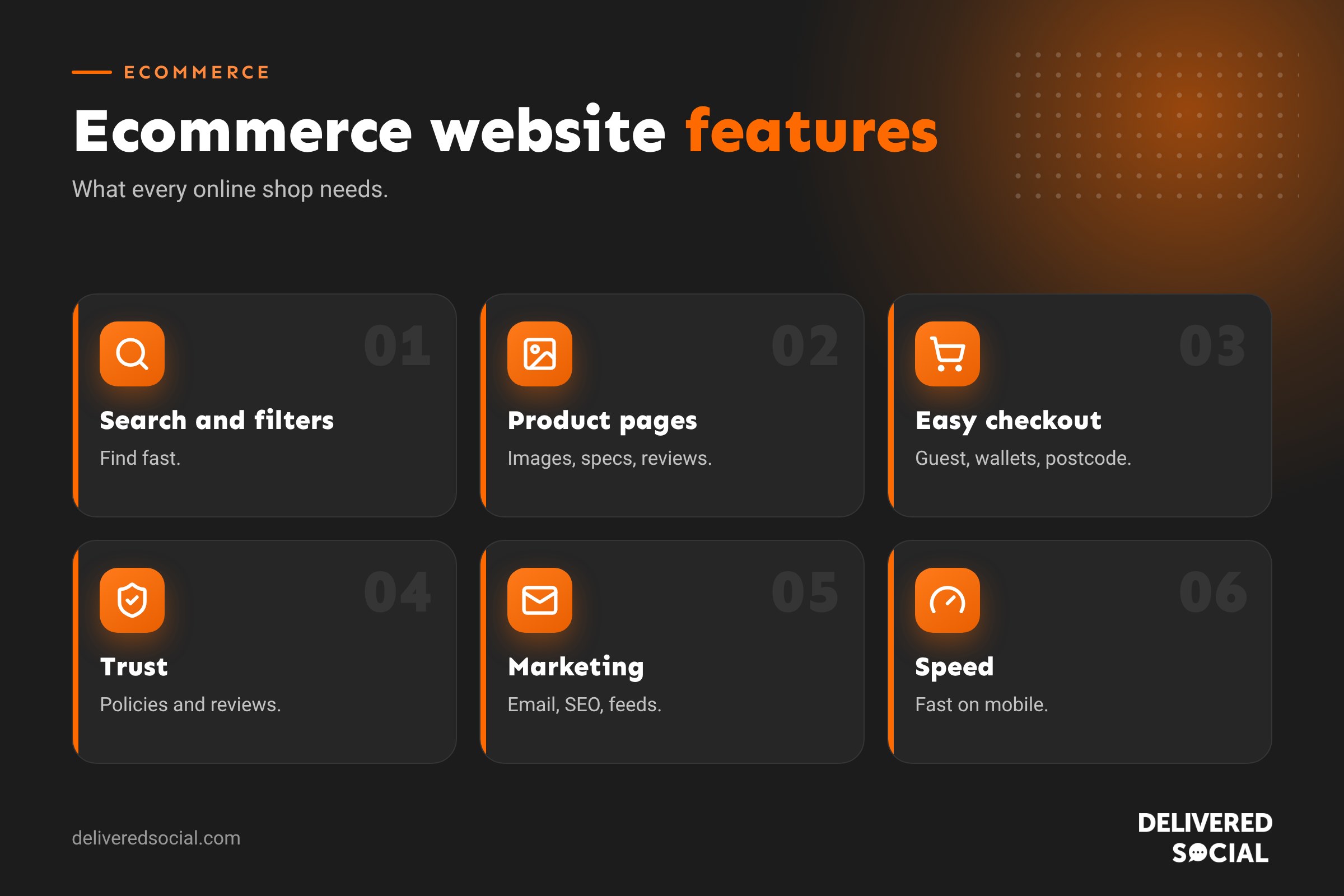
- Clear navigation, search and filters.
- Strong product pages with images, specifications, reviews and delivery information.
- Guest checkout, wallet payments and postcode lookup.
- Visible policies, contact details and independent reviews.
- Optional customer accounts with order tracking.
- Email, discount, SEO and feed tools.
- Stock, order, shipping and accounting integrations.
- Fast, mobile friendly, accessible and secure.
Choosing a platform
Most UK small businesses choose between WooCommerce (built on WordPress), Shopify, BigCommerce and Wix or Squarespace for very small catalogues. WooCommerce offers the most flexibility and ownership and works well if you already run a WordPress site. Shopify is quick to launch and easy to manage but involves monthly fees and app costs. Whichever you choose, check that it supports the features on your must have list without relying on too many paid add-ons. If WordPress is on your list, our guide on how to build a WordPress website is a good starting point.
How to prioritise features on a budget
Few shops can build everything at once, and you do not need to. A sensible approach is to launch with the essentials and add extras based on evidence:
- Launch with: clear navigation, strong product pages, guest checkout with wallet payments, visible policies, basic email capture and analytics.
- Add in the first three months: abandoned basket emails, a review platform, a Google product feed and improved search or filters if your catalogue is large.
- Add when the numbers justify it: loyalty schemes, live chat, personalisation and advanced merchandising.
Look at your analytics to decide. If lots of people leave on product pages, improve images, descriptions and reviews. If they leave at checkout, simplify it and add payment options. If few come back, invest in email and loyalty. Our ecommerce marketing strategy guide explains how to bring traffic to the site once it is built.
Key takeaways
- Every feature should help shoppers find, trust or buy, or save you time.
- Product pages and checkout have the biggest impact on sales.
- Trust signals and clear policies matter, especially for newer brands.
- Marketing and admin integrations save time and grow repeat sales.
- Speed and mobile usability underpin everything.
Frequently asked questions
What features should an ecommerce website have?
At minimum: clear navigation and search, detailed product pages, guest checkout, secure payments, visible policies, mobile friendly design and basic marketing and analytics tools.
What is the most important feature of an online shop?
A simple, trustworthy checkout. You can have great products and traffic, but a poor checkout loses sales at the final step.
Should customers have to create an account?
No. Offer guest checkout and let people create an account afterwards if they want one.
Which payment methods should I offer?
Cards, Apple Pay, Google Pay and PayPal cover most UK shoppers. Consider buy now, pay later for higher value products.
Do I need a blog on my ecommerce site?
It is not essential, but buying guides and helpful articles bring in search traffic and support your product pages.
How many features is too many?
If a feature slows the site, distracts from buying or is rarely used, remove it. Simple usually sells better.
Is WooCommerce or Shopify better?
WooCommerce suits businesses wanting flexibility and ownership, while Shopify suits those wanting a quick, managed setup. Both can work very well.
Planning a new online shop?
We design and build WordPress and WooCommerce shops for businesses across Surrey, Hampshire and the UK, with the right features from day one. Call us on 01483 608 303.
































