



Keep reading
Rather we just did it for you?
Let's get your business seen.
Social media, websites, SEO and ads from a team you can actually meet.
For most online shops, Google is one of the biggest sources of new customers, and those visitors don’t cost anything per click. But ecommerce sites are harder to optimise than brochure sites: hundreds or thousands of product pages, filters that create duplicate URLs, thin manufacturer descriptions and products that come and go. This ecommerce SEO checklist takes you step by step through what to fix and improve, from technical foundations to category pages, product pages, content, links and measurement, so your shop gets found by people ready to buy.
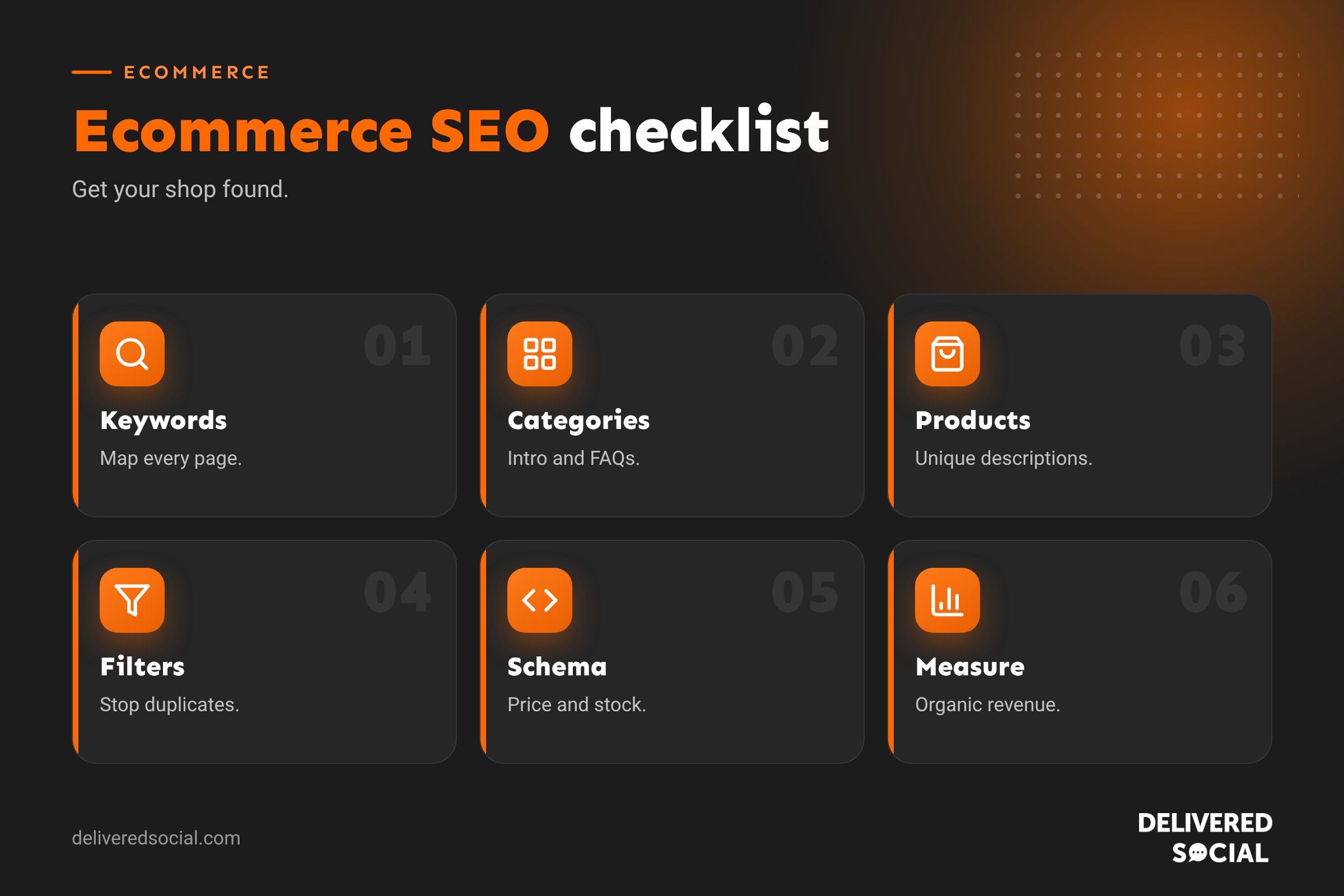
1. Keyword research
- List the products and categories you sell, in your customers’ words.
- Find what people search for, including brand, model, size, colour and “near me” terms.
- Map one main keyword to each category and product page.
- Identify informational searches (“how to choose…”) for your blog.
- Check competitors’ category names and structure.
Our guide to ecommerce SEO keyword research covers this step in depth.
2. Site structure and navigation
- Keep a clear hierarchy: Home > Category > Subcategory > Product.
- Make sure every product is reachable within three or four clicks.
- Use descriptive category names that match search terms.
- Add breadcrumbs to help users and search engines.
- Link popular categories from the main menu and homepage.
- Use clean, readable URLs, for example
/mens-running-shoes/.
3. Technical SEO
- Make sure the site is indexable and not blocked in robots.txt.
- Submit an XML sitemap in Google Search Console.
- Use HTTPS throughout.
- Check Core Web Vitals and fix slow pages, especially on mobile.
- Compress and resize product images, and use modern formats.
- Fix broken links and 404 errors.
- Check the site works perfectly on mobile.
4. Duplicate content and filters
This is where many shops go wrong.
- Filters and sorting (size, colour, price) can create thousands of near-identical URLs. Stop low-value combinations from being indexed and use canonical tags.
- Products in several categories should have one canonical URL.
- Avoid indexing internal search results pages.
- Handle pagination so all products are crawlable.
- Product variants (sizes, colours) usually belong on one page rather than separate thin pages.
5. Category pages
Category pages often have the most search potential, because they match broader searches like “oak dining tables”.
- Use the main keyword in the title tag, H1 and URL.
- Add a short, helpful introduction above the products.
- Add buying advice or FAQs below the products.
- Link to related categories and buying guides.
- Show enough products and useful filters.
- Write a unique meta description with a reason to click.
6. Product pages
- Write unique descriptions; don’t copy the manufacturer’s text.
- Include key details: materials, sizes, compatibility, care, delivery and returns.
- Use clear, high-quality images from several angles, with descriptive alt text.
- Add video where it helps, such as demonstrations or sizing.
- Show reviews and ratings.
- Include specific search terms naturally, such as model numbers.
- Answer common questions on the page.
- Write a title tag that includes the product name and key attribute.
7. Structured data (schema)
- Add Product schema with price, availability and reviews.
- Add Breadcrumb schema.
- Add Organization schema with your logo and contact details.
- Test with Google’s Rich Results Test.
- Make sure prices and stock in schema match what’s on the page.
Schema helps your listings show rich details such as price, stock and star ratings.
8. Out-of-stock and discontinued products
- Temporarily out of stock: keep the page live, show expected availability and offer alternatives or a back-in-stock alert.
- Permanently discontinued: redirect to the closest replacement or category if the page has links or traffic.
- Avoid deleting pages without redirects; you’ll lose rankings and create errors.
9. Content beyond products
- Buying guides (“how to choose a mattress”).
- Comparison articles (“memory foam vs pocket sprung”).
- Care and how-to guides.
- Gift guides for seasonal peaks.
- Size guides and FAQs.
Link each guide to relevant categories and products. This content attracts visitors earlier in their journey and supports your category pages. See our ecommerce marketing funnel guide.
10. Internal linking
- Link from guides to categories and products.
- Show related products and “customers also bought”.
- Link between related categories.
- Feature seasonal categories on the homepage at the right time.
11. Links and digital PR
- Get listed with suppliers, brands you stock and trade associations.
- Pitch products to gift guides and bloggers.
- Create useful resources others will link to, such as guides or data.
- Get local press coverage for launches and community work.
- Avoid buying links; it’s risky and against Google’s guidelines.
12. Reviews and trust
- Collect product and shop reviews after every order.
- Display reviews on product pages.
- Show delivery, returns and contact details clearly.
- Keep your Google Business Profile up to date if you have a physical shop.
13. Google Merchant Center
Submitting your product feed to Google Merchant Center can get your products into free listings in Google Shopping and other Google surfaces, alongside any paid Shopping ads. Keep the feed accurate and in line with your site. See Google Shopping ads.
14. Measure and improve
- Track organic revenue and conversions in Google Analytics.
- Monitor clicks, impressions and positions in Search Console.
- Find category pages ranking on page two and improve them first.
- Check for indexing issues and crawl errors monthly.
- Review your top landing pages each quarter.
Checklist summary
| Area | Priority checks |
|---|---|
| Keywords | One main keyword per category and product |
| Structure | Clear categories, breadcrumbs, clean URLs |
| Technical | Indexing, speed, mobile, HTTPS, sitemap |
| Duplicates | Filters, variants, canonicals |
| Categories | Intro copy, FAQs, unique titles |
| Products | Unique descriptions, images, reviews, schema |
| Content | Buying guides and comparisons |
| Links | Suppliers, PR, gift guides |
| Measurement | Organic revenue, Search Console, quarterly review |
Platform notes
WooCommerce, Shopify and other platforms each have quirks, such as how they handle collections, tags and duplicate URLs. The principles are the same. If you’re choosing a platform, see the best ecommerce platforms in the UK and WordPress vs Shopify.
Common mistakes to avoid
Thin, duplicated product descriptions, indexed filter pages and deleted products without redirects cause more problems than anything else. Our guide to common ecommerce SEO mistakes explains how to fix them.
A 90-day ecommerce SEO plan
Days 1 to 30: foundations
- Run a technical crawl and fix indexing, broken links and redirects.
- Control filter and duplicate URLs.
- Complete keyword mapping for your main categories.
- Set up Search Console, analytics and ecommerce tracking.
Days 31 to 60: pages
- Add introductions and FAQs to your top 10 to 20 categories.
- Rewrite descriptions for your best-selling products.
- Add or fix Product schema and check for errors.
- Improve image file names and alt text.
Days 61 to 90: growth
- Publish two or three buying guides linked to key categories.
- Start a review collection process after every order.
- Reach out to suppliers and gift guide writers for links.
- Review results and plan the next quarter.
SEO is ongoing, but a focused first 90 days usually delivers clear improvements and shows where to invest next.
Quick glossary
- Canonical tag: tells search engines which version of a page is the main one.
- Faceted navigation: filters such as size, colour and price.
- Schema: structured data describing products and prices.
- Merchant Center: Google’s tool for submitting product feeds.
- Crawl budget: how many pages search engines crawl on your site.
Key takeaways
- Category pages often hold the biggest SEO opportunity.
- Write unique product descriptions with real detail.
- Control filter and variant URLs to avoid duplicates.
- Use Product schema and Merchant Center.
- Support products with buying guides and internal links.
Frequently asked questions
What is ecommerce SEO?
Optimising an online shop so its categories and products rank in search engines.
How long does ecommerce SEO take?
Often several months to see significant results, depending on competition.
Should I write my own product descriptions?
Yes, unique descriptions help rankings and conversions.
Do category pages need text?
A short introduction and helpful FAQs usually help them rank.
What should I do with out-of-stock products?
Keep temporary ones live; redirect discontinued ones.
Is Shopify or WooCommerce better for SEO?
Both can rank well; WooCommerce gives more control.
Do reviews help SEO?
They add unique content and trust, and can show as stars in results.
How do I stop filters creating duplicate pages?
Use canonicals and noindex low-value filter combinations.
Is a blog worth it for an online shop?
Yes, buying guides attract shoppers and support category pages.
How do I measure ecommerce SEO?
Track organic revenue, conversions and rankings for key categories.
Should every product be indexed?
Usually yes for live products, but not near-duplicate variants or low-value filter pages.
Do category descriptions belong above or below products?
A short intro above and more detailed advice below works well for most shops.
How many words should a product description be?
Enough to answer buyer questions; often 150 to 300 words for key products.
Does page speed really affect sales?
Yes. Slow pages lose shoppers, especially on mobile, as well as rankings.
Should I use a separate blog subdomain?
Keep your blog on your main domain, for example /blog/, so it supports your shop.
Want more sales from Google?
We provide ecommerce SEO and build online shops for businesses across Surrey, Hampshire and the UK. Call us on 01483 608 303.
































