



Keep reading
Rather we just did it for you?
Let's get your business seen.
Social media, websites, SEO and ads from a team you can actually meet.
One morning your website traffic drops, or jumps, and nothing on your site has changed. Very often the reason is a Google algorithm update. Google changes how it ranks websites thousands of times a year, and several times a year it releases larger updates that can shake up results across whole industries. This guide explains Google algorithm updates: what they are, the main types, how to check whether one has affected you, what to do if your rankings fall and how to build a website that keeps doing well whatever Google changes next.
What is a Google algorithm update?
Google’s algorithm is the set of systems it uses to decide which pages to show for a search and in what order. An algorithm update is a change to those systems. Most changes are small and happen without announcement. Larger updates, which can noticeably change rankings, are usually confirmed by Google.
Google’s aim with updates is simple: to show the most helpful, reliable and relevant results. When your rankings change after an update, it usually means Google has re-evaluated how well your pages meet that aim compared with others.
The main types of Google update
Core updates
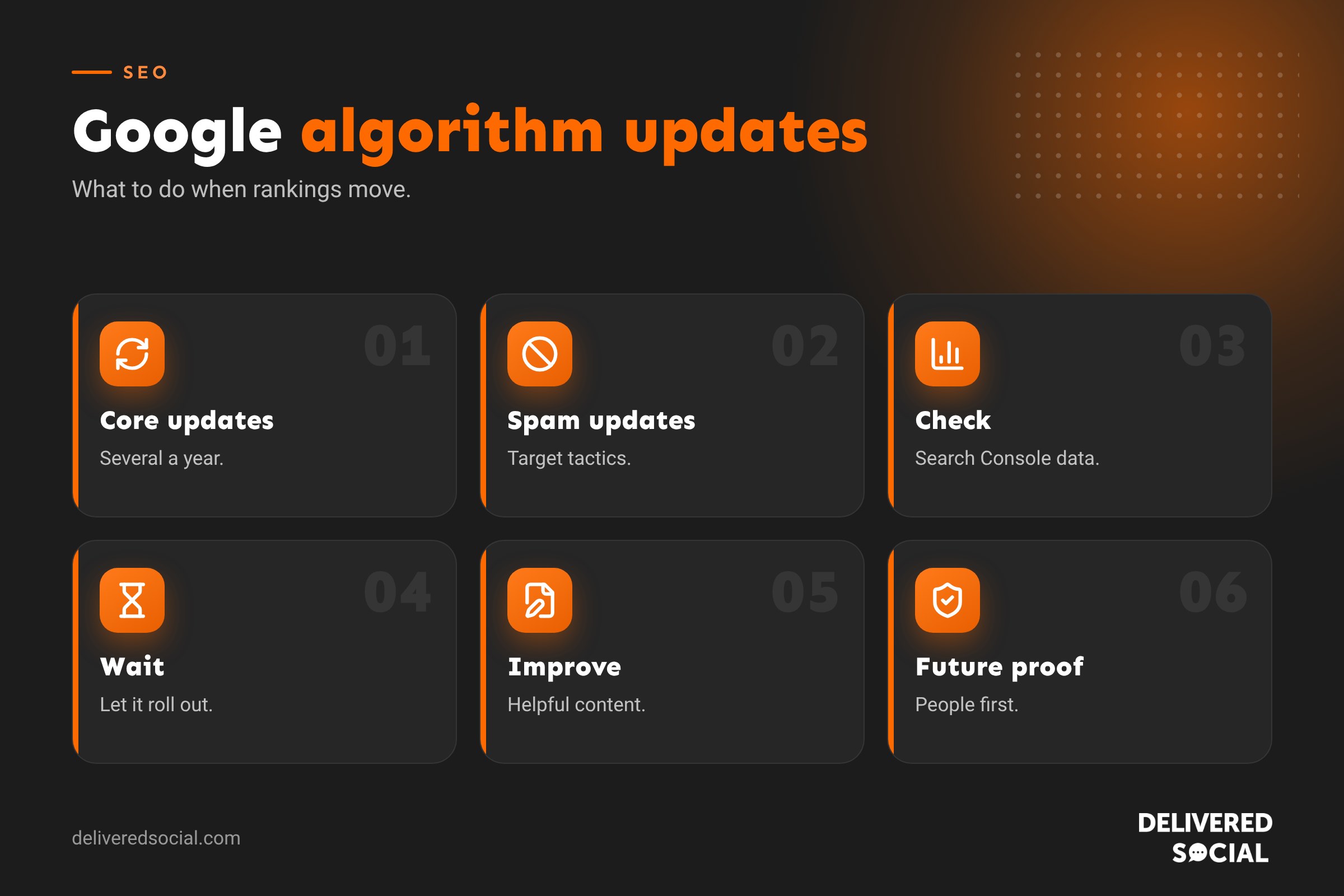
Broad changes to Google’s main ranking systems, released several times a year. Core updates do not target specific sites or tactics. Instead they change how Google assesses overall quality and relevance, so some sites rise and others fall.
Spam updates
Updates aimed at spammy behaviour, such as manipulative links, scaled low quality content, hacked content, site reputation abuse and cloaking. Sites relying on these tactics can lose visibility quickly.
Helpful content and quality signals
Google has put increasing emphasis on content written for people rather than search engines. Its helpful content signals are now part of the core ranking systems.
Reviews updates
Changes to how Google evaluates review content, rewarding in depth, first hand reviews over thin summaries.
Local and other systems
Changes affecting local results, Google Maps, images, Discover and AI Overviews also happen, sometimes with less fanfare.
How to find out about updates
- Google Search Status Dashboard: Google lists confirmed ranking updates with start and end dates.
- Google Search Central blog and social accounts: official announcements and guidance.
- Industry news sites: SEO publications cover updates and share early data on winners and losers.
- Rank tracking tools: many show volatility scores that spike during updates.
How to check if an update has affected you
- Look at Google Search Console. Compare clicks and impressions before and after the update dates, using the Performance report.
- Check Google Analytics 4 for changes in organic search traffic specifically, not total traffic.
- Look at which pages changed. Is the drop across the whole site, or certain sections, topics or page types?
- Look at which queries changed. Did you lose rankings for core terms, or for loosely related ones?
- Rule out other causes: website changes, tracking problems, seasonality, server issues, manual actions and lost links.
- Check Search Console for manual actions and security issues.
Our guide to website traffic drops walks through diagnosing a fall step by step.
What to do if your rankings drop
Do not panic or make rushed changes
Updates can take up to two weeks to roll out, and rankings can bounce around during that time. Wait until the update finishes before drawing conclusions.
Review content quality honestly
Look at the pages that lost visibility and ask whether they are genuinely the most helpful answer. Are they original, accurate, up to date, written with real expertise and better than what now ranks above them?
Look at what Google now rewards
Study the pages that ranked better after the update. What do they offer that yours do not: more depth, first hand experience, better structure, fresher information?
Improve, merge or remove weak content
Update thin or outdated pages, merge overlapping articles and consider removing content that adds no value or does not fit your site’s purpose.
Strengthen expertise and trust
Show who writes your content and why they are qualified, add real examples, case studies and photos, cite sources and keep business information accurate.
Fix technical problems
Slow pages, indexing issues and poor mobile experience will not help. Our technical SEO team can audit these.
Clean up spam signals
If a spam update hit you, review links, sponsored content and any scaled or low quality content. Remove what breaks Google’s policies.
Be patient
Recovery often takes until the next core update, when Google reassesses sites. Improvements made now may not show immediately.
How to future proof your website
- Write for people first. Answer real customer questions clearly and completely.
- Show first hand experience. Photos, examples, data and opinions only you can provide.
- Keep content up to date and remove what is no longer useful.
- Stay focused on topics related to your business and expertise.
- Earn links naturally through great content and PR, not paid schemes. Our guide to buying backlinks explains the risks.
- Maintain a fast, secure, mobile friendly site.
- Diversify traffic with email, social media and paid channels so one update cannot sink your business.
Algorithm updates and AI search
Google’s AI Overviews and AI Mode now appear for many searches, and the systems choosing which sources to cite are evolving too. The same principles apply: clear, trustworthy, well structured content from genuine experts is most likely to be shown. Our guide to getting into Google’s AI Overviews explains how to improve your chances.
Common myths about Google updates
- “Google is punishing my site.” Core updates are not penalties. They reassess relevance and quality across the web.
- “There is a quick fix.” Recovery usually comes from genuine improvements over time.
- “More content is always better.” Large volumes of thin content can hold a site back.
- “Small sites cannot compete.” Focused, expert small sites often do very well after updates.
Keeping a record
Keep a simple log of changes you make to your website, such as redesigns, new content, removed pages and plugin changes, alongside Google’s confirmed update dates. When traffic moves, you can quickly see whether it lines up with your own changes or with an update. This saves hours of guesswork and helps you or your SEO team respond with confidence rather than making changes in a panic.
What a healthy response looks like
Imagine a local service business that loses a third of its organic traffic after a core update. A calm response starts by confirming the dates, then checking which pages dropped. It finds that thin location pages created years ago lost the most, while detailed service pages held steady. Over the next few months, the business merges the thin pages into stronger regional pages, adds real project photos and customer stories, updates prices and FAQs, and earns a few links from local press. At the next core update, visibility recovers and some pages rank higher than before. The lesson is that recovery usually comes from genuine improvements, not tricks.
Key takeaways
- Google makes constant small changes and several confirmed larger updates each year.
- Core updates reassess quality and relevance; spam updates target manipulative tactics.
- Use Search Console and Analytics to check impact after an update has finished rolling out.
- Recover by honestly improving content quality, expertise, trust and technical health.
- People first content and diverse traffic sources protect you from future updates.
Frequently asked questions
How often does Google update its algorithm?
Google makes changes almost every day, with several larger confirmed core and spam updates each year.
How do I know if a Google update hit my site?
Compare Search Console clicks and impressions before and after confirmed update dates, and rule out other causes.
How long does it take to recover from a core update?
Often until the next core update, after you have made genuine improvements. It can take months.
Is a core update a penalty?
No. It is a reassessment of how well pages meet searchers’ needs compared with others.
Where can I see confirmed Google updates?
On Google’s Search Status Dashboard and the Google Search Central blog.
Should I change my website during an update?
Wait until the update finishes rolling out before making big changes, unless you spot an obvious technical problem.
Do Google updates affect paid ads?
Organic algorithm updates do not change paid ad rankings directly, but they can change how much traffic you rely on ads for.
Can a website improve after an update?
Yes. Many sites gain visibility after updates, especially those with helpful, expert content.
Should I hire an SEO agency after a traffic drop?
If you cannot find the cause or lack time to fix it, an experienced SEO team can diagnose the problem and plan recovery.
Can deleting content help after an update?
Sometimes. Removing or merging thin, outdated or off topic pages can improve how Google sees the rest of your site.
Worried about a traffic drop?
We help businesses across Surrey, Hampshire and the UK diagnose and recover from ranking drops. Find out more about our SEO services. Call us on 01483 608 303.
































