



Keep reading
Rather we just did it for you?
Let's get your business seen.
Social media, websites, SEO and ads from a team you can actually meet.
Your Google Business Profile is often the first thing a customer sees, long before they visit your website. So it makes sense to know how it is performing. Google Business Profile insights, now shown in the Performance report, tell you how many people found you, what they searched, and what they did next: called, asked for directions, visited your website or sent a message. This guide explains where to find your insights, what each number means, and how to use them to win more customers.
Where to find your Google Business Profile insights
Google has moved its insights around over the years, which is why so many people struggle to find them. Today, the easiest way is:
- Sign in to the Google account that manages your profile.
- Search for your business name on Google, or open Google Maps.
- In the business panel, click Performance.
- Choose the date range you want to look at.
On the Google Maps app, open your profile and look for the Performance or Insights section. If you manage several locations, you can view performance across them from the Business Profile Manager.
The main metrics explained
The Performance report is split into a few sections. Here is what each one tells you.
Overview
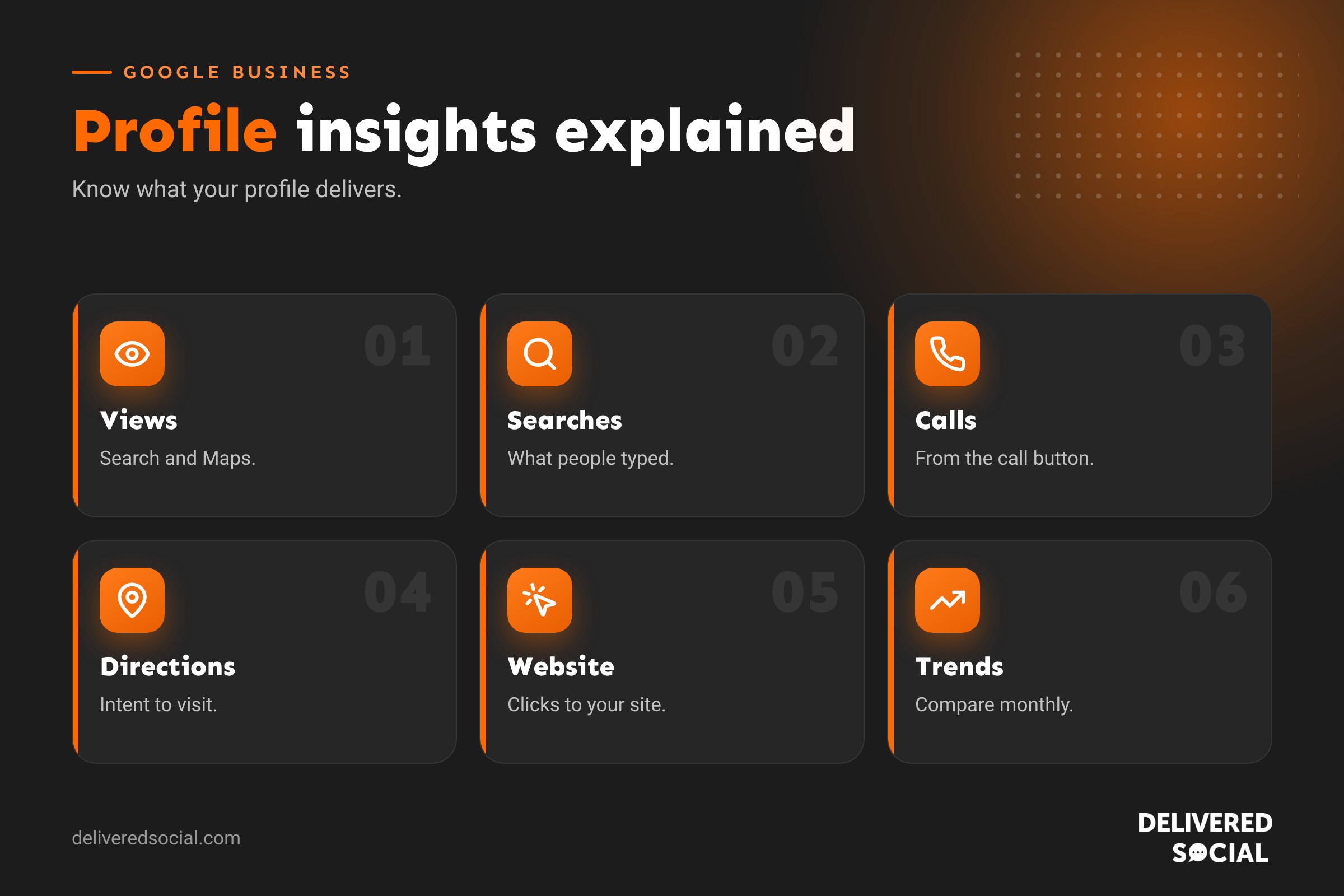
The headline view shows total interactions: the number of times people did something with your profile, such as calling, getting directions, clicking to your website or messaging you. It is the quickest measure of whether your profile is earning its keep.
Views
Views show how many people saw your profile, split by platform and device: Google Search on mobile, Google Search on desktop, Google Maps on mobile and Google Maps on desktop. This tells you where your customers are finding you. Many local businesses are surprised by how much comes from Maps on mobile.
Searches
This shows the search terms people used before your profile appeared. It is one of the most useful parts of the report. You will see searches for your business name, which show people already know you, and searches for services, which show new customers discovering you.
Calls
Calls made from the profile’s call button. A useful indicator of high intent enquiries, especially for trades, clinics and services where people pick up the phone.
Directions
How many people asked for directions to your business. Essential for shops, cafés, restaurants and anyone who wants footfall.
Website clicks
Clicks through to your website from the profile. Compare this with your website analytics to see what visitors do next.
Messages, bookings and other actions
If you have messaging, bookings, menus or products enabled, you may also see clicks and conversations from those features.
Quick reference table
| Metric | What it tells you | What to do if it is low |
|---|---|---|
| Profile views | How visible you are | Improve categories, services, photos and reviews |
| Search terms | What people look for | Add missing services and write posts about them |
| Calls | Phone enquiries | Check the number, opening hours and call button |
| Directions | Intent to visit | Check your pin location and add photos of the entrance |
| Website clicks | Interest in more detail | Link to the most relevant page, not just the home page |
How to read your insights properly
Numbers on their own can mislead. A few principles help:
- Compare like with like. Compare this month with the same month last year, as many businesses are seasonal.
- Look at trends, not single days. Weekly or monthly patterns are more reliable.
- Watch the ratio of views to actions. Lots of views but few calls or clicks suggests your profile is not convincing people. Better photos, more reviews and clearer information usually help.
- Split brand and non brand searches. Growth in service searches shows your profile is reaching new customers.
Using search terms to grow
The search terms report is a gold mine for content ideas. If people find you for “emergency boiler repair” but you do not mention emergencies anywhere, add it to your services, your description and a post. If a service you offer never appears, it may not be clear enough on your profile or website. You can also use these terms when planning blog posts and landing pages, which helps your wider SEO.
Tracking website visits from your profile
Google Business Profile shows website clicks, but it does not show what people did on your site. To see that, add UTM tracking to your profile’s website link, for example with source set to google and medium set to organic, and a campaign name such as gbp. In Google Analytics, you can then see visits, enquiries and sales that started on your profile.
What good looks like
There is no universal benchmark, because results depend on your sector and location. A busy café might see thousands of views and hundreds of direction requests a month, while a specialist B2B firm might see a few hundred views and a handful of high value calls. Set your own baseline, then aim to improve it month by month.
Ways to improve your numbers
- Add new photos regularly, including your team, premises and work.
- Post updates, offers and events. Our guide to Google Business Profile posts has ideas.
- Ask every happy customer for a review and reply to all reviews.
- Keep opening hours accurate, including holidays.
- List every service you offer, with descriptions.
- Answer common questions in your description and posts.
Common questions about missing data
Sometimes the Performance report shows little or no data. This can happen when a profile is new, recently verified or suspended, or when activity is too low to report. Data can also take a few days to appear. If your profile is not showing at all, see our guide to Google Business Profile not showing.
Reporting to your team or boss
A simple monthly report keeps everyone focused. Include:
- Total interactions compared with last month and last year.
- Calls, direction requests and website clicks.
- Top five search terms and any new ones.
- Number of new reviews and average rating.
- One action you will take next month.
Turning insights into action: a monthly routine
Insights are only useful if they change what you do. A simple routine that takes around 20 minutes a month works well for most small businesses:
- Note the headline numbers. Record total interactions, calls, direction requests and website clicks in a spreadsheet so you can see the trend over a year.
- Read the search terms. Highlight any new services or towns people are searching for. If you offer them, add them to your services list and mention them in a post.
- Check your reviews. Reply to anything new and note any themes, good or bad. Customers often tell you exactly what to promote or fix.
- Refresh your photos. Add three to five new, real photos. Profiles with regular new photos tend to look more active and trustworthy.
- Plan four posts. One a week, based on what people searched for and what is coming up in your calendar.
- Review your website landing pages. If website clicks are high but enquiries are low, the page people land on may need clearer information or a stronger call to action.
How insights compare with Google Analytics and Search Console
Your Business Profile Performance report is one of three free tools worth using together. Google Search Console shows how your website appears in search, including which pages and queries bring visitors. Google Analytics shows what people do once they reach your site. The Performance report fills the gap by showing everything that happens on your profile itself, including calls and direction requests that never touch your website. Looking at all three gives you a much fuller picture of how local customers find you, and stops you underestimating the value of your profile.
Key takeaways
- Find insights by clicking Performance on your business panel in Google.
- Focus on interactions: calls, directions, website clicks and messages.
- Use search terms to find gaps in your services and content.
- Track website visits from your profile with UTM tags.
- Compare trends month to month and year to year.
Frequently asked questions
Where did Google My Business insights go?
They are now in the Performance report, which you open from your business panel on Google Search or Maps.
How far back can I see data?
You can choose different date ranges in the Performance report. Export or note your figures monthly so you always have a long term record.
Why do my views drop some months?
Seasonality, changes in competition and updates to how Google displays results can all affect views.
Are calls tracked if people dial my number manually?
No. Only calls made using the call button on your profile are counted.
Do insights include Google Maps?
Yes. Views are split between Search and Maps, on mobile and desktop.
Can I download my insights?
Yes, there are options to download performance data from your profile or the Business Profile Manager.
How often should I check insights?
Monthly is enough for most small businesses.
Want more from your Google Business Profile?
We manage and optimise Google Business Profiles for businesses across Surrey, Hampshire and beyond. Call us on 01483 608 303.
































