



Keep reading
Rather we just did it for you?
Let's get your business seen.
Social media, websites, SEO and ads from a team you can actually meet.
Google Business Profile posts are one of the most underused tools in local marketing. They are free, they appear right on your profile in Google Search and Maps, and they give potential customers a reason to choose you over the business next door. Yet most profiles we audit have not posted in months, if ever. This guide covers what Google Business Profile posts are, the different types, how to create one, and dozens of ideas and examples you can use straight away.
What are Google Business Profile posts?
Posts are short updates you publish directly on your Business Profile. They can include text, a photo or video and a button such as Learn more, Book, Call now or Order online. When someone finds your profile, recent posts appear in the updates section, giving them fresh, relevant information at the moment they are deciding who to contact.
They used to be called Google My Business posts, and you will still see that name used. The feature is the same.
Why bother posting?
- They show you are active. A profile with recent posts looks cared for, which builds trust.
- They answer questions. Posts can explain services, prices, opening hours changes and events.
- They support visibility. Regular activity and relevant content help Google understand what you offer.
- They drive action. A clear button turns interest into calls, bookings and visits.
- They are free. No ad spend required.
Types of Google Business Profile posts
| Type | Best for | Notes |
|---|---|---|
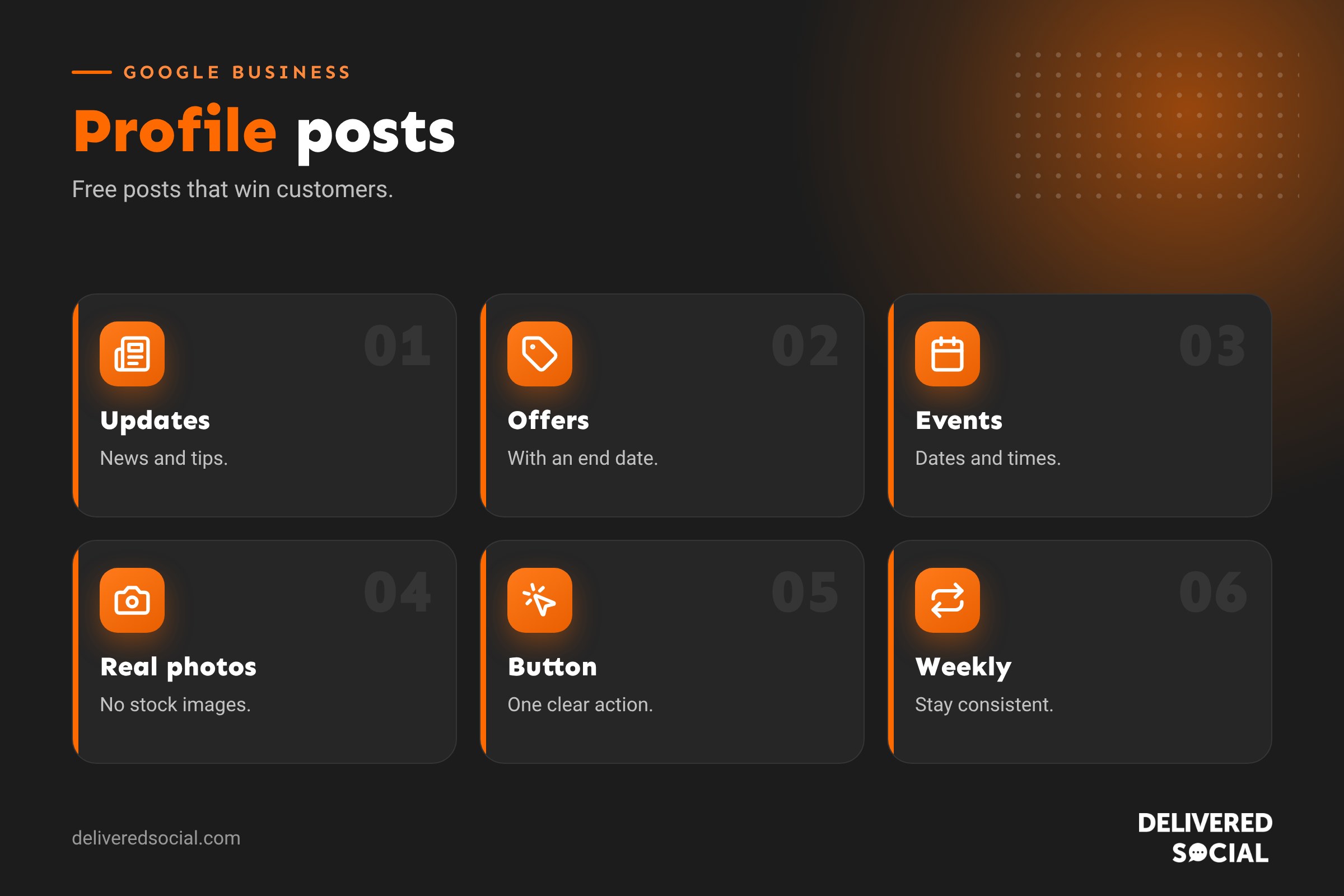
| Update | News, tips, new services, behind the scenes | The most flexible type; use it most often |
| Offer | Promotions and discounts | Includes start and end dates and optional voucher code and terms |
| Event | Workshops, open days, launches, classes | Includes event dates and times |
Some businesses also see options for products and services, which are managed separately from posts but work well alongside them.
How to create a post
- Sign in and find your business on Google Search or Maps.
- Click Add update or Promote, depending on what you see.
- Choose Add update, Add offer or Add event.
- Upload a photo or video. Landscape images around 1200 by 900 pixels work well. See our Google Business Profile image sizes guide.
- Write your text. You have up to 1,500 characters, but the first line or two matters most.
- Add a button and link to the most relevant page on your website.
- Preview and publish.
What makes a good post
- A strong opening line. Only the start shows before people click to read more.
- One message per post. Do not cram everything in.
- A real photo. Your team, your work, your premises. Stock photos look generic.
- A clear action. Tell people what to do next and give them a button.
- Local relevance. Mention the town, area or local events where it fits naturally.
- No phone numbers in the text. Use the Call now button instead, as posts with phone numbers in the text can be rejected.
30 Google Business Profile post ideas
Services and expertise
- Explain one service in plain English and who it is for.
- Share a quick tip related to your work.
- Answer a question customers ask every week.
- Show a before and after photo.
- Share a price guide or “from” price for a popular service.
- Highlight a new service or product.
- Explain what happens at a first appointment or visit.
- Share a seasonal checklist, such as “get your boiler ready for winter”.
Trust and social proof
- Share a recent customer review with a photo of the job.
- Celebrate an award, accreditation or milestone.
- Introduce a team member.
- Share a short case study.
- Mark a business anniversary.
- Share a thank you to a local supplier or partner.
Offers and events
- A limited time offer with a clear end date.
- A free consultation or quote offer.
- An open day or workshop.
- A seasonal promotion for Christmas, Easter or summer.
- A loyalty or referral scheme.
- A charity event you are supporting.
Practical information
- Holiday opening hours.
- Parking and how to find you.
- Booking reminders for busy periods.
- New payment options.
- Delivery or collection updates.
Community and personality
- Behind the scenes on a busy day.
- Your involvement in a local event.
- The office dog or shop cat.
- A team day out or charity challenge.
- A local recommendation, such as your favourite nearby café.
Example posts
Trades example: “Is your boiler ready for winter? A yearly service keeps it running safely and can catch small faults before they become expensive. We still have slots in early November across Fareham and Gosport. Tap Book to choose a time.”
Café example: “Our new winter menu starts this Saturday: spiced pumpkin soup, homemade sausage rolls and the hot chocolate everyone asks about. Pop in, or tap Order online for collection.”
Professional services example: “Self assessment deadline: 31 January. If you have not started yet, we can help you get your return in on time with no stress. Book a free 15 minute call to see what you need.”
How often should you post?
Once a week is a good target for most small businesses. That is enough to keep your profile fresh without becoming a chore. If you have lots happening, two or three a week is fine. Consistency matters more than volume, so pick a schedule you can keep.
Scheduling and tools
Google does not offer native scheduling for every profile, but several social media tools, including Metricool, let you plan and schedule posts to your Business Profile alongside your other channels. Our Metricool tutorial shows how.
Measuring results
Check your Performance report for changes in calls, website clicks and direction requests. Add UTM tags to post links so you can see visits and enquiries from posts in Google Analytics. Our guide to Google Business Profile insights explains the numbers.
Common mistakes
- Posting once, then never again.
- Using the same generic stock photo every time.
- Writing long paragraphs with no clear action.
- Linking every post to the home page instead of the relevant page.
- Posting offers without an end date, then forgetting to remove them.
Writing posts for different types of business
The best posts sound like your business, not a template. A few pointers by sector:
- Trades and home services: before and after photos, seasonal reminders, the areas you cover this week and short explanations of common jobs. People want reassurance that you are reliable and local.
- Shops and cafés: new stock, menu changes, events and anything that gives people a reason to visit this week. Photos of food and products do the heavy lifting.
- Clinics and health services: what to expect at an appointment, opening hours changes and team introductions. Keep claims careful and factual.
- Professional services: deadlines, plain English explainers, quick tips and case studies. Accountants, solicitors and consultants can use posts to show expertise without being salesy.
- Charities and community groups: events, volunteer calls, fundraising news and thank yous to supporters.
Building a simple posting plan
A monthly plan stops posts slipping. Try this rhythm: week one, a helpful tip or answer to a common question; week two, social proof such as a review or case study; week three, a service or product spotlight; week four, something human, like a team introduction or behind the scenes photo. Add offers and events whenever you have them. Write the month’s posts in one sitting, schedule them, and you will never have a stale profile again. Once a quarter, look back at which posts drove the most calls and clicks and do more of that type.
Posts, products and services: how they fit together
Posts work best alongside the rest of your profile. Use the Products section for items you sell regularly, with a photo, price and link, and the Services section to list everything you offer. Then use posts for anything time sensitive or newsworthy. That way customers see a full picture of your business, and your posts can point people to products and services they might not have noticed.
Key takeaways
- Posts are free and appear right where customers are deciding.
- Use updates most often, with offers and events when relevant.
- Lead with a strong first line, a real photo and a clear button.
- Aim for one post a week and stick to it.
- Track the results with insights and UTM tags.
Frequently asked questions
How long do Google Business Profile posts last?
Update posts stay on your profile, though newer posts appear first. Offers and events show their dates.
Can I edit a post after publishing?
Yes. You can edit or delete posts from your profile.
Why was my post rejected?
Common reasons include phone numbers in the text, misleading claims, restricted content or low quality images.
Do posts help SEO?
They support your profile by keeping it active and relevant, and they can drive more actions.
Can I post videos?
Yes. Short videos work well, especially showing your work or premises.
Should every post have a button?
Most should. Give people a clear next step.
Can I schedule posts?
Yes, using third party tools such as Metricool.
Want help keeping your profile active?
We write and schedule Google Business Profile posts for businesses across Surrey, Hampshire and the UK. Call us on 01483 608 303.
































