



Keep reading
Rather we just did it for you?
Let's get your business seen.
Social media, websites, SEO and ads from a team you can actually meet.
WordPress started life as blogging software, and it’s still one of the best platforms for publishing articles, whether you’re a hobby blogger, a freelancer building authority or a business using content to win customers from Google. But there’s more to a successful blog than hitting Publish. This guide explains how to use WordPress for blogging: setting up, writing and formatting posts, categories and tags, SEO, images, scheduling, growing your audience and even making money from your blog.
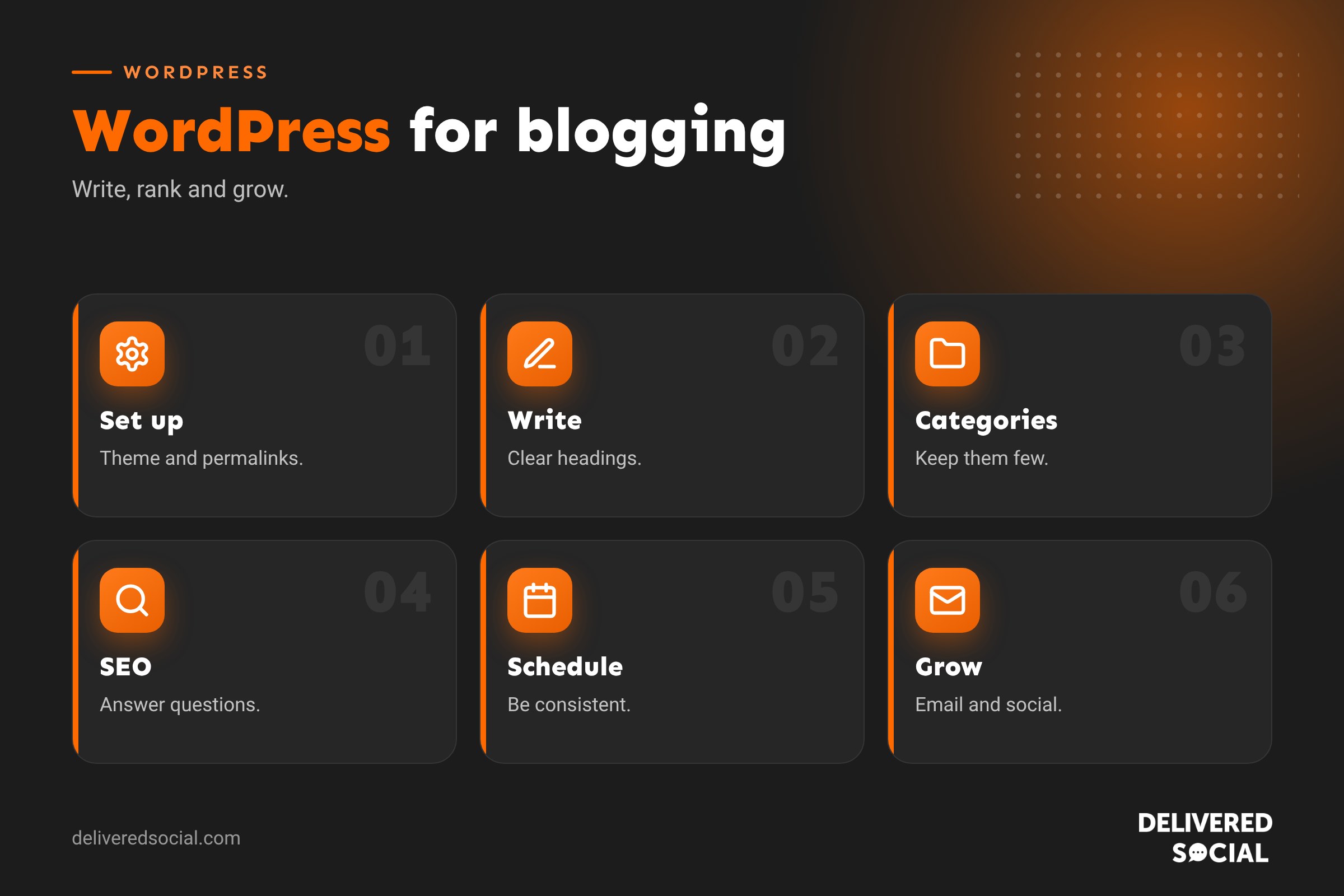
Is WordPress good for blogging?
Yes. WordPress gives you:
- A clean, flexible editor for writing posts.
- Categories, tags and archives to organise content.
- Strong SEO control, so posts can rank in Google.
- Comments, newsletter sign-ups and social sharing.
- Full ownership of your content, unlike social platforms.
- Room to grow into a business site, shop or membership.
The trade-off is that self-hosted WordPress needs hosting and maintenance. For a side-by-side with newsletter platforms, see WordPress vs Substack, and for costs, is WordPress free?
Step 1: Set up your blog
- Choose a domain name that’s short and memorable. See how to choose a domain name.
- Choose hosting with good WordPress support and backups. See best WordPress hosting in the UK.
- Install WordPress, usually one click with your host.
- Choose a lightweight theme with good typography and readability.
- Set your blog page: in Settings > Reading, choose whether your homepage shows latest posts or a static page, with posts on a separate Blog page.
- Set permalinks: in Settings > Permalinks, choose “Post name” for clean URLs.
- Install essentials: an SEO plugin, backups, spam protection and caching.
Step 2: Write your first post
- Go to Posts > Add New.
- Add a clear, specific title that matches what readers search for.
- Write a short introduction that tells readers what they’ll get.
- Use headings (H2 and H3) to break up the post.
- Add images, lists, quotes and tables using blocks.
- Add internal links to related posts and pages.
- Set the category, tags, excerpt and featured image in the sidebar.
- Preview, then Publish or Schedule.
Formatting tips that keep people reading
- Short paragraphs of two to four sentences.
- Descriptive subheadings so readers can scan.
- Bullet points and numbered steps for instructions.
- Bold key phrases sparingly.
- An image, table or example every few hundred words.
- A clear next step at the end: subscribe, read more or get in touch.
Categories and tags
Categories are your blog’s main sections, such as Recipes, Guides or News. Keep them few and broad, and give every post one main category. Tags are optional, more specific labels. Use them consistently or not at all; dozens of one-off tags create thin archive pages that don’t help readers or SEO.
Images for your blog
- Use a featured image for every post; it appears in archives and social shares.
- Compress images before uploading to keep pages fast.
- Name files descriptively, for example
sourdough-starter-jar.jpg. - Add alt text describing the image for accessibility and SEO.
- Use your own photos where you can; they build trust.
SEO for WordPress blogs
- Research topics your readers search for. See what are keywords?
- Answer the question fully and better than existing results.
- Write a clear SEO title and meta description. See what is a meta title?
- Link related posts together.
- Keep posts updated when information changes.
- Keep your site fast and mobile friendly.
Our SEO for beginners guide covers the basics in more depth.
Scheduling and consistency
A consistent schedule builds habits for readers and signals an active site to search engines. One great post a week or a fortnight beats daily posts you can’t sustain. Use WordPress’s Schedule option to queue posts in advance, and keep a simple content calendar of ideas, deadlines and keywords.
Comments and community
Comments can build community, but they need moderating. In Settings > Discussion, require approval for first-time commenters and use spam protection. If you don’t have time to reply, it’s fine to turn comments off and invite discussion on social media or by email instead.
Growing your blog audience
- Email newsletter: the most reliable way to bring readers back.
- Social media: share each post in a format that suits the platform, not just a link.
- Search: evergreen, helpful posts bring traffic for years.
- Collaborations: guest posts, interviews and podcast appearances.
- Repurposing: turn posts into videos, carousels and short tips.
How to make money from a WordPress blog
| Method | How it works | Good for |
|---|---|---|
| Display ads | Ad networks pay per view or click | High-traffic blogs |
| Affiliate links | Commission when readers buy recommended products | Reviews and guides |
| Sponsored posts | Brands pay for clearly labelled content | Niche blogs with engaged readers |
| Your own products | Courses, ebooks, templates, physical goods | Expert and creator blogs |
| Services | The blog brings clients for your business | Freelancers and companies |
| Memberships | Paid access to premium content | Loyal, specialist audiences |
Always label ads, affiliate links and sponsored content clearly, in line with UK advertising rules.
Blogging for businesses
For a business, a blog isn’t a diary. It’s a way to answer customer questions, show expertise, rank for searches and give people reasons to choose you. Write about the questions customers ask before buying, how-to guides, case studies and local topics. See blogging for small businesses.
Common blogging mistakes
- Writing about what you want to say, not what readers search for.
- Vague titles that don’t describe the post.
- Walls of text with no headings or images.
- Publishing and never promoting posts.
- Too many categories and tags.
- Ignoring old posts that could be updated.
- Slow pages from huge images and too many plugins.
Example: a small business blog that works
A kitchen fitter starts writing one post a fortnight answering real customer questions: how long a kitchen fit takes, quartz vs granite worktops, and how to plan a small kitchen. Each post includes project photos and links to their quote page. Within a year, the blog brings in steady search traffic and enquiries from people who already trust them before picking up the phone.
Useful plugins for bloggers
- SEO plugin for titles, descriptions and sitemaps.
- Backup plugin with off-site storage.
- Caching plugin to keep pages fast.
- Image optimisation to compress uploads automatically.
- Spam protection for comments and forms.
- Email sign-up forms connected to your newsletter tool.
Keep plugins to the essentials; every extra plugin is something else to update and a potential slowdown.
Updating old posts
Older posts can be a goldmine. Every few months, check Search Console for posts with lots of impressions but few clicks, or posts slipping down the rankings. Update facts, add new sections, improve titles and refresh images. Updating a strong post is often quicker and more effective than writing a new one from scratch.
Quick glossary
- Post: a dated blog article.
- Page: static content such as About or Contact.
- Permalink: the permanent URL of a post.
- Excerpt: a short summary shown in archives.
- Featured image: the main image for a post.
Key takeaways
- WordPress is one of the best platforms for blogging.
- Set clean permalinks, a good theme and essential plugins first.
- Write for readers’ questions and format for scanning.
- Be consistent and promote every post.
- Blogs can earn through ads, affiliates, products or new clients.
Frequently asked questions
Is WordPress good for blogging?
Yes, it’s one of the most popular and flexible blogging platforms.
Is a WordPress blog free?
The software is free; hosting and a domain cost money.
How often should I blog?
As often as you can maintain quality, often weekly or fortnightly.
How long should a blog post be?
Long enough to answer the question fully; often 1,000 to 2,000 words for guides.
Can I schedule posts in WordPress?
Yes, choose Schedule instead of Publish.
What’s the difference between posts and pages?
Posts are dated blog content; pages are static content.
Can I make money from a WordPress blog?
Yes, through ads, affiliates, sponsorships, products or services.
Do I need an SEO plugin?
It’s strongly recommended for titles, descriptions and sitemaps.
Should I allow comments?
Only if you can moderate and reply to them.
Can I move my blog to WordPress?
Yes, content can be migrated from most platforms with redirects to protect rankings.
Which theme is best for a blog?
A lightweight, readable theme with good typography and mobile design.
How do I get my first readers?
Share posts with your network, social channels and email list, and write for searches people make.
Should I use categories or tags?
Use a few clear categories; use tags sparingly and consistently.
Can I write posts on my phone?
Yes, using the WordPress app or mobile browser, though longer posts are easier on a computer.
How do I add a newsletter sign-up?
Use your email platform form or a plugin and place it in posts and the footer.
Do I need to show the date on posts?
It helps readers judge how current advice is; keep important posts updated.
Want help with your blog?
We build WordPress blogs and write SEO content for businesses across Surrey, Hampshire and the UK. Call us on 01483 608 303.
































