




Keep reading
Rather we just did it for you?
Let's get your business seen.
Social media, websites, SEO and ads from a team you can actually meet.
X, the platform most people still call Twitter, remains one of the fastest places to share news, join conversations and speak directly to customers, journalists and other businesses. Setting up an account takes a few minutes, but setting it up properly takes a little more thought. This guide explains how to create an X (Twitter) account step by step on your phone and computer, how to set up a business profile that looks professional, and what to do in your first few weeks so the account actually works for you.
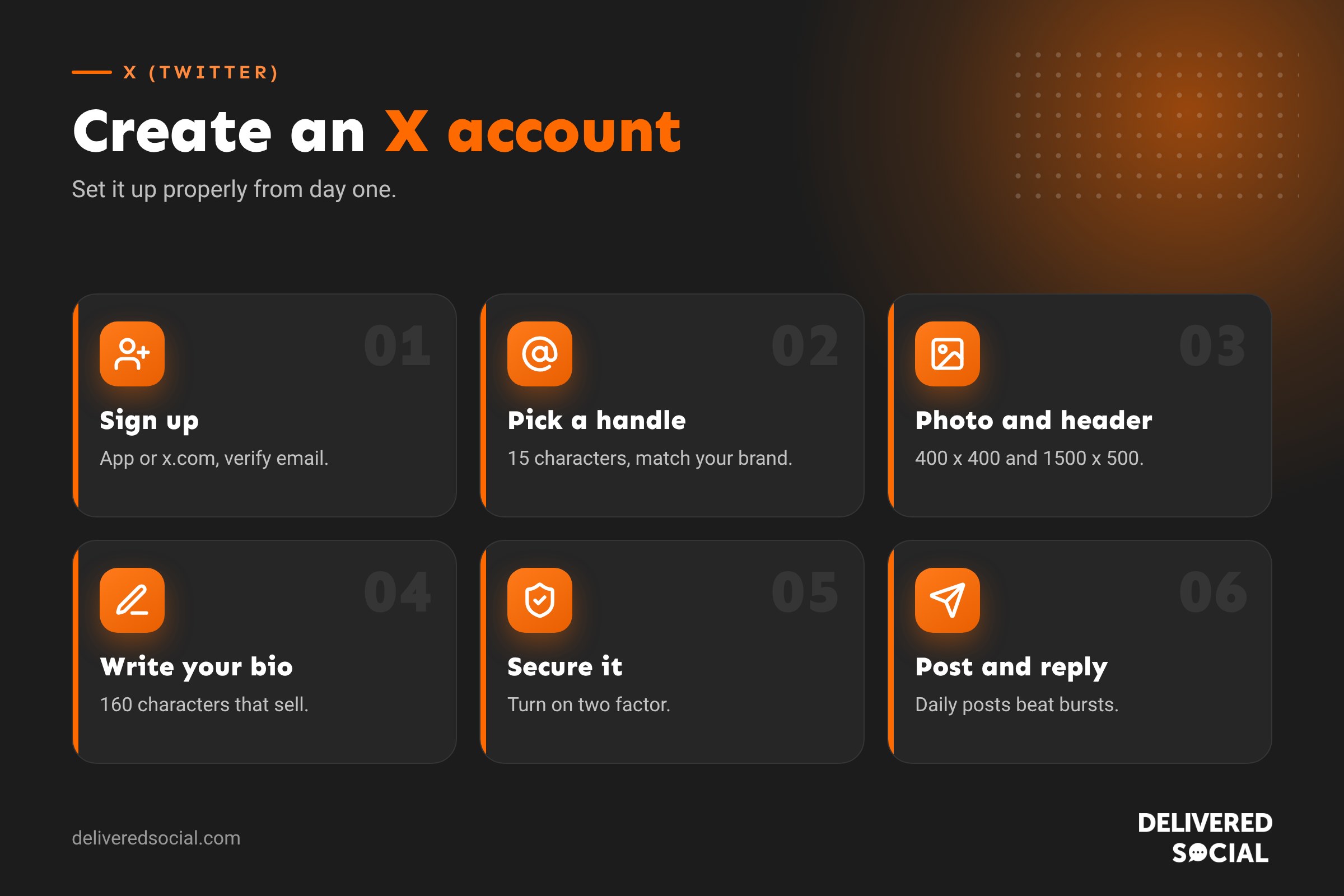
Before you start
A little preparation makes sign up much smoother, especially for a business account. Have these ready:
- An email address you can access, ideally a shared business address such as marketing@ rather than a personal one, so the account does not disappear if someone leaves.
- A mobile number for verification and security, although X may let you start with email alone.
- Your preferred username, plus two or three backups in case it is taken.
- A profile photo, usually your logo for a business or a clear headshot for a personal brand.
- A header image and a short bio of up to 160 characters.
How to create an X account on your phone
- Download the X app from the App Store or Google Play. Make sure the developer is X Corp, as fake copies do exist.
- Open the app and tap Create account.
- Enter your name, your email address or phone number, and your date of birth. Your date of birth is not shown publicly unless you choose to share it.
- Tap Next and follow the prompts to verify your email or phone with the code X sends you.
- Create a strong password that you do not use anywhere else.
- Add a profile photo, or skip and add it later.
- Choose your username, which is your @handle. X suggests one, but you can change it.
- Pick some interests and accounts to follow so your timeline is not empty. You can change these later.
How to create an X account on a computer
- Go to x.com in your web browser.
- Click Create account. You can also sign up with a Google or Apple account if you prefer.
- Enter your name, email or phone number and date of birth.
- Verify with the code sent to you and set a password.
- Add your photo, username, bio and interests when prompted.
Setting up on a computer is often easier for businesses because you can upload a properly sized logo and header image straight from your files.
Choosing a good username
Your username, or handle, is how people mention and find you. It can be up to 15 characters and can include letters, numbers and underscores. For a business, aim for something that matches your name on other platforms, so customers can find you easily. If your exact name is taken, try adding your town, “uk” or “hq”, for example @smithsbakeryuk. Avoid long strings of numbers, which can look like spam accounts. You can change your handle later, and our guide on how to change your X username explains how, but it is best to get it right from the start so links and mentions keep working.
Setting up your profile
Profile photo
Upload a square image of at least 400 by 400 pixels. X shows it as a circle, so keep your logo away from the corners. A bold, simple version of your logo works better than a detailed one, as it appears small in timelines.
Header image
The header, or banner, is 1500 by 500 pixels. Use it to show what you do: your team, your premises, your products or a simple branded graphic with a short message. Remember that your profile photo overlaps the bottom left of the header on most screens, so keep key details away from that area. Our X image sizes guide covers every dimension.
Display name
Your display name can be up to 50 characters and can differ from your handle. Most businesses use their trading name. Some add a keyword, such as “Smiths Bakery Guildford”, which helps people searching by location.
Bio
You have 160 characters. Say what you do, who you help and where you are, and add a reason to follow. For example: “Family run bakery in Guildford since 1989. Fresh bread daily, celebration cakes to order. Follow for new bakes and offers.” Keep hashtags to a minimum, as they can make a bio look cluttered.
Website and location
Add your website link and your town or region. The website link is one of the most valuable parts of your profile, so point it to your homepage or a page built for visitors from social media.
Pinned post
Once you have posted, pin your best introduction post, a current offer or your most useful content to the top of your profile, so new visitors see it first.
Personal, business or professional account?
Every X account starts as a standard account. X also offers a professional account option, which you can switch on in your profile settings. Professional accounts can show a category, such as Marketing Agency or Restaurant, and may unlock extra profile features such as a location spotlight or links to your shop, depending on what X offers at the time. It is free to switch and you can switch back. Paid subscriptions, such as X Premium and Verified Organizations, offer features like the blue or gold checkmark, longer posts, editing and reply prioritisation. Most small businesses do not need to pay to get started; consider it once the account is active and bringing results.
Secure your account straight away
- Turn on two factor authentication: go to Settings and privacy, then Security and account access, then Security. An authenticator app or security key is safer than text messages.
- Use a unique password stored in a password manager.
- Do not share logins casually: if several people manage the account, use a scheduling or social media management tool with team access instead of passing the password around.
- Check connected apps regularly and remove any you do not recognise.
- Be wary of direct messages claiming your account will be suspended unless you click a link. X will not ask for your password by message.
Our guide to keeping your X account secure has more detail.
Privacy settings to check
By default, X accounts are public, which is what a business wants. Review these settings in Settings and privacy, then Privacy and safety:
- Protect your posts: leave this off for a business, as protected posts can only be seen by approved followers.
- Direct messages: decide whether anyone can message you or only people you follow. Open messages are useful for customer service but can attract spam.
- Discoverability: choose whether people who have your email or phone number can find you.
- Location information: avoid adding precise locations to individual posts unless they help.
Your first posts
An empty profile looks inactive, so post a few times before you start promoting the account. Good first posts include:
- An introduction: who you are, what you do and what followers can expect.
- A photo or short video from behind the scenes.
- A useful tip related to your industry.
- A post about your latest product, service or offer.
- A reply or quote post joining a local or industry conversation.
Posts can be up to 280 characters on a free account, with up to four images, a video or a GIF. Threads, a series of connected posts, are great for longer tips and stories. Our guide to writing an X thread explains how.
Who to follow first
Following the right accounts fills your timeline with useful conversations and helps people discover you. Start with:
- Local businesses, councils, news outlets and community groups.
- Suppliers, partners and existing customers.
- Industry bodies, trade publications and journalists who cover your sector.
- Influential people in your industry.
Avoid following hundreds of accounts in one go, as rapid following can look like spam. Build up gradually over the first few weeks.
Growing your new X account
Post consistently
X moves fast, so regular posting matters more than on slower platforms. Aim for at least one post a day, plus replies. A scheduling tool such as Metricool makes this manageable. Our Metricool tutorial shows how.
Reply more than you post
Thoughtful replies to other people’s posts are one of the fastest ways to be seen by new audiences. Add an opinion, an answer or a helpful link rather than “great post”.
Use hashtags sparingly
One or two relevant hashtags, such as a local tag or an event hashtag, can help discovery. More than that looks spammy.
Promote your account elsewhere
Add your X handle to your website, email signature, other social profiles, business cards and shop window. Tell existing customers you are now on X and what they will get by following.
Use visuals
Posts with images or video tend to stand out in busy timelines. Keep them clear, branded and correctly sized.
Common sign up problems
- No verification code arrives: check spam folders, wait a few minutes and request a new code. Make sure your number includes the correct country code.
- Email already in use: that address is linked to another account. Reset the password on that account, or use a different email.
- Account locked soon after sign up: X sometimes asks new accounts to pass extra checks if activity looks unusual. Follow the on screen steps and slow down your following.
- Username unavailable: try a variation with your location or a short suffix.
Is X still worth it for business?
X is not the right platform for every business, but it works well for news, events, B2B networking, public sector organisations, sports, tech and businesses that want to talk directly with local media. If your customers and industry peers are active there, it is worth claiming your name and posting regularly. Even if you post less often, a complete, secure profile protects your brand name and gives customers another way to reach you. Our guide to what X is and how it works explains the platform in more detail, and if you ever want to close it, see how to delete an X account.
Key takeaways
- Sign up in the X app or at x.com with an email or phone number, then verify it.
- Use a business email, a matching handle and a clear logo for a business account.
- Complete your bio, header, website link and pinned post before promoting the account.
- Turn on two factor authentication and avoid sharing passwords.
- Post consistently, reply to others and promote your handle on your other channels.
Frequently asked questions
Is it free to create an X account?
Yes. Creating and using a standard X account is free. Paid subscriptions add extra features.
Can I create an X account without a phone number?
Often you can sign up with an email address, although X may ask for a phone number for security checks.
How old do you have to be to use X?
You must be at least 13 years old.
Can I have more than one X account?
Yes, each with its own email address, and you can switch between them in the app.
How long can my X username be?
Up to 15 characters, using letters, numbers and underscores.
Should my business pay for X Premium?
Not at first. Build a consistent presence, then decide whether the paid features would help.
Can I still call it Twitter?
Plenty of people do. The platform is officially X, and posts were formerly called tweets.
Do I need a professional account?
It is optional and free, and can add a business category and extra profile features.
Want help with X?
We set up and manage social media accounts for businesses across Surrey, Hampshire and the UK, from profile design to daily posting. Find out more about our social media management services. Call us on 01483 608 303.
































