



Keep reading
Rather we just did it for you?
Let's get your business seen.
Social media, websites, SEO and ads from a team you can actually meet.
Many online shops invest heavily in design, products and paid ads, but quietly lose free search traffic because of a handful of SEO mistakes. Some are technical, such as filters creating thousands of duplicate pages. Others are about content, like copying manufacturer descriptions word for word. The good news is that most are fixable. This guide covers the most common ecommerce SEO mistakes we see when auditing online shops, why they hurt your rankings and sales, and exactly how to fix each one.
1. Copying manufacturer product descriptions
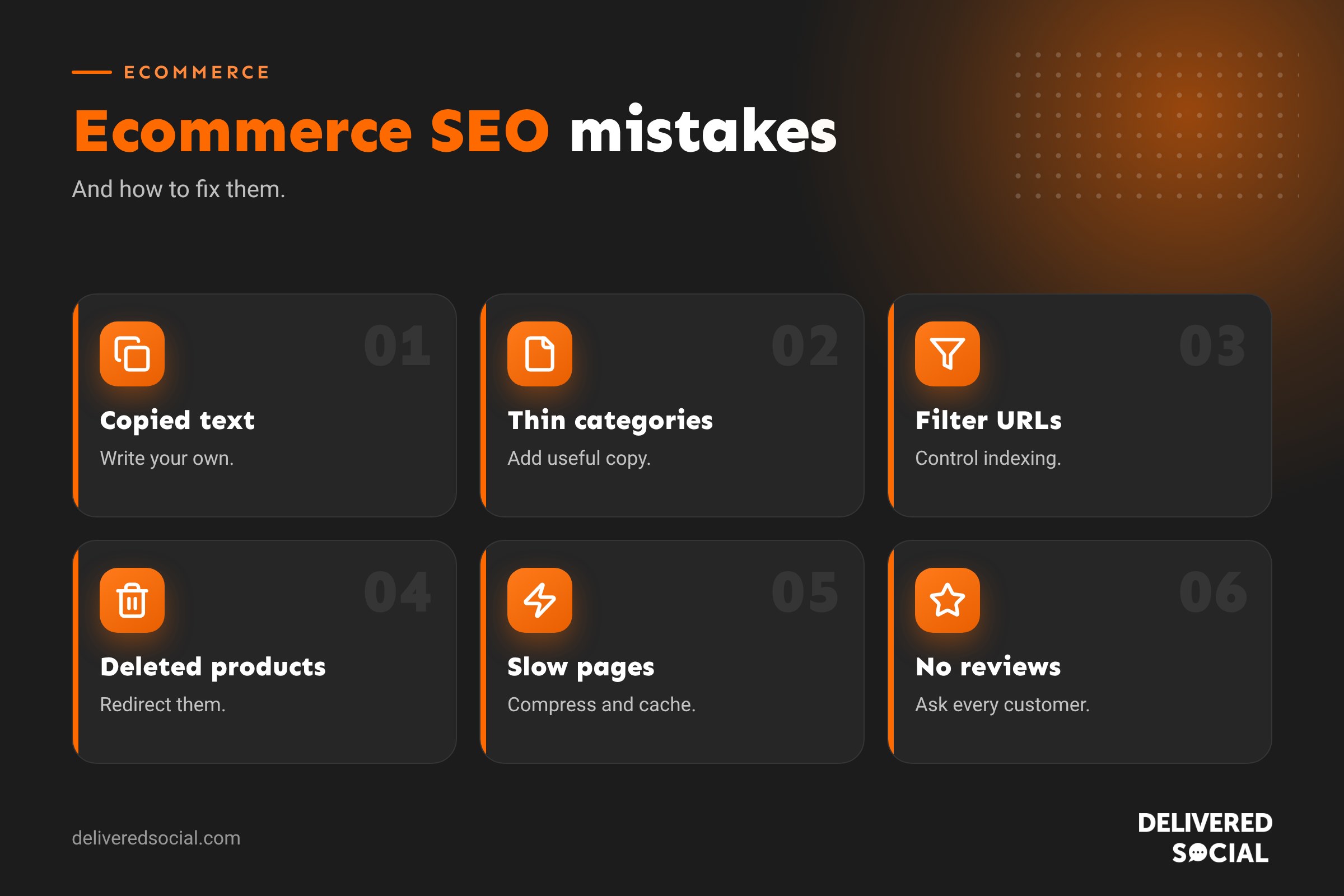
The problem: If you sell branded products, the same description often appears on dozens of other sites. Search engines have little reason to rank your version, and shoppers see nothing that sets you apart.
The fix: Write unique descriptions for your best-selling and most important products first. Add real detail: who it’s for, how it feels, sizing advice, care instructions, compatibility and what’s in the box. Add your own photos and customer questions where you can.
2. Thin or empty category pages
The problem: Category pages often target the most valuable searches, such as “women’s walking boots”, yet many are just a grid of products with no text. That gives search engines little context.
The fix: Add a short, helpful introduction above the products and buying advice or FAQs below. Use the main keyword in the title, H1 and URL, and link to related categories and guides.
3. Letting filters create duplicate URLs
The problem: Filters for size, colour, price and sorting can generate thousands of URL combinations. Search engines waste time crawling near-identical pages, and your important pages compete with duplicates.
The fix: Decide which filtered pages genuinely deserve to rank (for example “black leather boots”) and give them proper landing pages. Stop the rest being indexed using canonical tags, noindex rules or parameter handling, and avoid linking to endless combinations.
4. Deleting products without redirects
The problem: When products are discontinued and removed, their URLs return 404 errors. Any rankings and links they built are lost, and visitors land on dead pages.
The fix: Keep temporarily out-of-stock products live with alternatives and back-in-stock alerts. For discontinued products, redirect to the closest replacement or parent category.
5. Slow page speed
The problem: Large images, heavy themes, too many apps or plugins and cheap hosting make pages slow, especially on mobile. Slow shops lose both rankings and sales.
The fix: Compress and resize images, remove unused apps and plugins, use caching and a content delivery network, and choose hosting suited to ecommerce. Check Core Web Vitals in Search Console.
6. Poor site structure
The problem: Products buried five or six clicks deep, vague category names or a flat structure with hundreds of products in one category make it hard for both shoppers and search engines.
The fix: Organise products into logical categories and subcategories based on how customers shop and search. Use breadcrumbs and keep important products within three or four clicks of the homepage.
7. Missing or wrong product schema
The problem: Without structured data, your listings miss out on rich details like price, availability and star ratings. Incorrect schema, such as prices that don’t match the page, can cause errors.
The fix: Add Product schema with accurate price, currency, availability and reviews, plus Breadcrumb and Organization schema. Test with Google’s Rich Results Test and check Search Console for errors.
8. Ignoring keyword research
The problem: Categories named with internal jargon or vague labels (“Collection 3”, “Essentials”) don’t match what people search for.
The fix: Research the words shoppers actually use and name categories, products and pages accordingly. See our guide to ecommerce SEO keyword research.
9. Keyword cannibalisation
The problem: Several pages targeting the same search, such as a category, a tag page and a blog post all about “silver necklaces”, split authority and confuse search engines.
The fix: Give each keyword group one main page. Merge or redirect duplicates, use tags sparingly and link supporting content to the main page.
10. Weak product images and missing alt text
The problem: Low-quality images hurt conversions, and file names like IMG_4573.jpg with no alt text miss image search traffic and accessibility.
The fix: Use clear, consistent photos from several angles. Name files descriptively and add alt text describing each image.
11. No content beyond products
The problem: Shops with only product and category pages miss shoppers who are still researching, and have fewer pages that attract links.
The fix: Create buying guides, comparisons, care guides and gift guides that answer real questions and link to relevant products. See our ecommerce marketing funnel.
12. Ignoring mobile shoppers
The problem: Most ecommerce traffic is mobile, and Google primarily uses the mobile version of your site. Tiny buttons, pop-ups and clunky filters drive people away.
The fix: Test your shop on real phones. Simplify navigation, make filters easy to use and keep checkout quick.
13. Duplicate URLs for the same product
The problem: Some platforms create several URLs for one product, for example through different category paths.
The fix: Make sure each product has one canonical URL and that internal links use it.
14. Not collecting reviews
The problem: Products with no reviews look less trustworthy, convert less and miss out on unique content.
The fix: Send review requests after delivery, make reviewing easy and display reviews on product pages.
15. Migrating platforms without an SEO plan
The problem: Moving from one platform to another, or redesigning, often changes URLs. Without redirects, traffic can drop sharply overnight.
The fix: Map every old URL to its new equivalent, set up redirects before launch, keep titles and content, and monitor Search Console closely afterwards.
16. Not measuring the right things
The problem: Tracking rankings alone doesn’t tell you whether SEO is driving sales.
The fix: Track organic revenue, conversions and average order value in analytics, and monitor clicks and impressions for key categories in Search Console.
Mistakes ranked by impact
| Mistake | Impact | Effort to fix |
|---|---|---|
| Migration without redirects | Very high | Medium |
| Filter duplicate URLs | High | Medium |
| Thin category pages | High | Low to medium |
| Manufacturer descriptions | High | Medium to high |
| Deleted products, no redirects | Medium to high | Low |
| Slow pages | Medium to high | Medium |
| Missing schema | Medium | Low |
| No reviews | Medium | Low |
How to find these issues on your own shop
- Check Search Console’s Pages report for indexing problems and errors.
- Run a crawl with an SEO crawler to spot duplicates, broken links and missing titles.
- Search Google for a sentence from a product description in quotes to see if it appears elsewhere.
- Test speed with PageSpeed Insights.
- Review your top categories against our ecommerce SEO checklist.
- Or ask for a professional ecommerce website audit.
Example: quick wins for a homeware shop
An online homeware shop had flat organic traffic. An audit found 12,000 indexed filter URLs, empty category pages and hundreds of products using supplier descriptions. Over three months, the team noindexed low-value filters, added introductions and FAQs to the top 20 categories and rewrote the 50 best-selling product descriptions. Category rankings improved, and organic revenue grew, without spending more on ads.
Prevention is easier than cure
Build SEO checks into your routine: review new products before they go live, check redirects whenever products are removed and run a crawl after any major site change. A little discipline each month avoids the slow build-up of problems that eventually holds a shop back.
Quick glossary
- Canonical tag: tells search engines which version of a page is the main one.
- Noindex: asks search engines not to include a page in results.
- 301 redirect: permanently sends one URL to another.
- Core Web Vitals: Google’s measures of loading speed and stability.
- Keyword cannibalisation: several pages competing for the same search.
Key takeaways
- Unique product and category content is essential.
- Control filters and duplicate URLs.
- Redirect discontinued products and old URLs.
- Speed, mobile experience and reviews affect rankings and sales.
- Measure organic revenue, not just rankings.
Frequently asked questions
What is the most common ecommerce SEO mistake?
Thin or duplicated product and category content is among the most common.
Do manufacturer descriptions hurt SEO?
They make it hard to stand out because the same text appears on many sites.
Should filter pages be indexed?
Only valuable combinations with real search demand; noindex the rest.
What do I do with discontinued products?
Redirect them to the closest replacement or category.
How do I know if my shop has duplicate content?
Use Search Console and an SEO crawler, or search for your text in quotes.
Can a redesign hurt SEO?
Yes, if URLs change without redirects or content is removed.
How quickly can fixes improve rankings?
Some technical fixes help within weeks; content improvements can take months.
Is ecommerce SEO different from normal SEO?
The principles are the same, but scale, filters and products add complexity.
Should I hire an SEO agency for my shop?
It can be worth it for larger shops or if organic traffic has stalled.
What should I fix first?
Indexing and duplicate issues, then top category pages, then best-selling products.
Want an expert eye on your shop?
We audit and improve ecommerce SEO for online shops across Surrey, Hampshire and the UK. Call us on 01483 608 303.
































